
Efficient Baby Photo Sorting: A Local Face Search Workflow
Sorting baby photos is hard because you never find what you need when you need it. Files are scattered across phone exports, camera cards, chat folders, and old backups. The fastest way is to make “finding your child’s face” the entry point, using a local face search workflow that runs on your PC and protects privacy.
This guide is built for parents and caregivers. You will learn a practical, repeatable process: build a local library → enable face search → search with reference faces → narrow results → locate and archive. Once the loop is stable, your family album becomes truly searchable.
Why baby photo sorting gets slow
From a first-principles view, sorting is about fast retrieval + reusable archiving. Most parents struggle because:
- Photos are scattered across devices, drives, and chat apps.
- Burst shots create noise, making it hard to pick the best version.
- File names are meaningless, so keywords never work.
The fix is not a more complex folder tree. The fix is to make faces searchable.
Step 1: Build a clean library and enable face indexing
Local face search works only when the image library is indexed and face detection is enabled. Start small with 1–3 high-frequency folders, then expand later.
- Phone export folders
- Camera card archives
- Family event folders
Follow the setup steps here: First-time setup. After indexing, confirm face search is enabled in Gallery management.
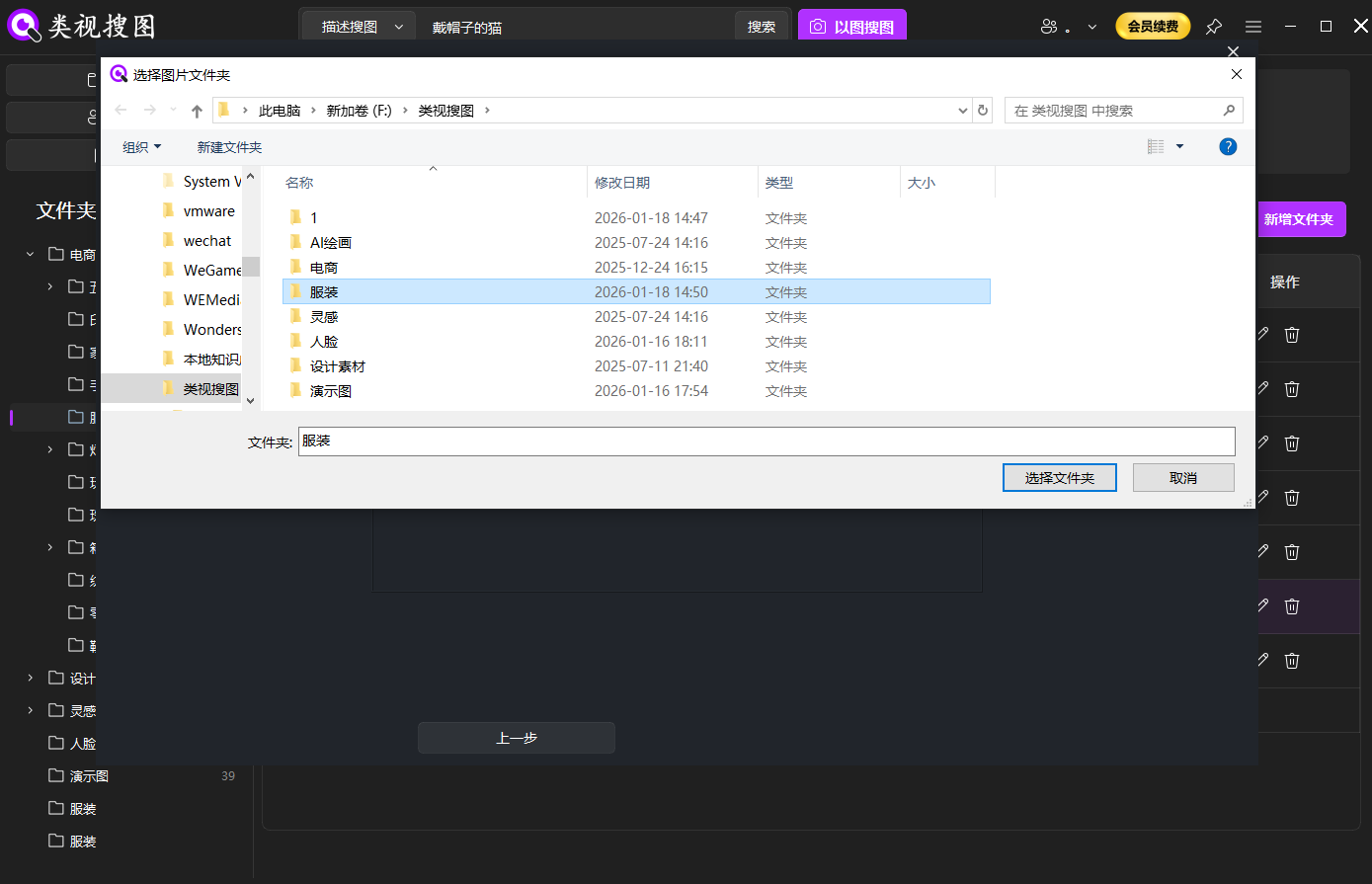 Caption: Start with high-frequency baby photo folders so local face search stays accurate and fast.
Step 2: Use reference faces to start a search
Reference faces control the quality of results. Use at least two clear images:
- A front-facing, well-lit photo
- A side or smiling photo
- For different ages, pick one per stage (infant, toddler, preschool)
Drag-and-drop a reference face into the search entry. See the workflow here: Local image search.
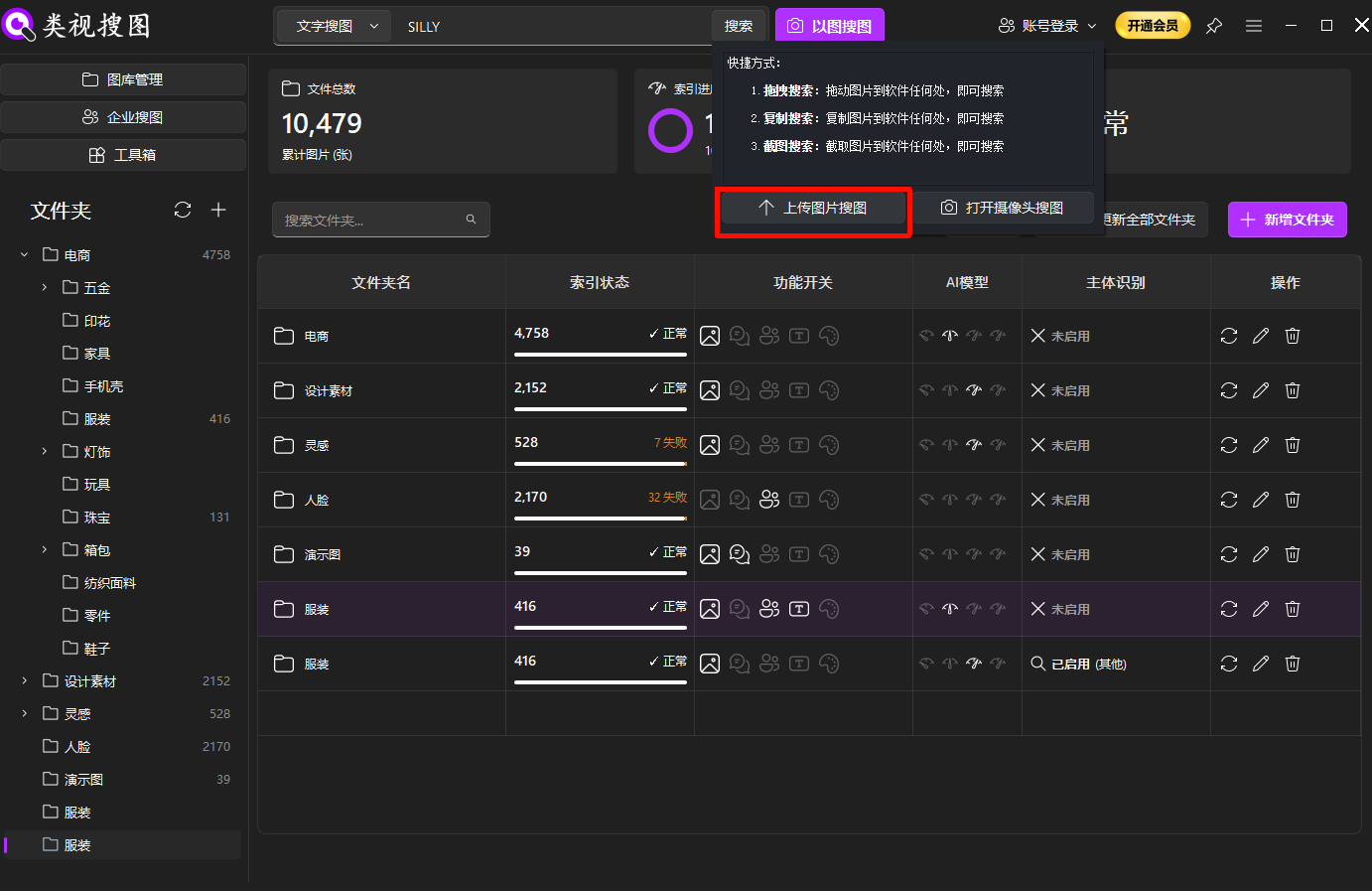 Caption: A clear reference face triggers a much faster and more reliable search than folder browsing.
Step 3: Narrow with similarity, folders, and time
If results are too many, do not scroll endlessly. Shrink the candidate set first, then locate the source folder.
- Similarity first: raise the threshold to lock the most accurate matches, then relax to fill variations.
- Folder filters: limit to event or year folders to reduce noise.
- Time window: birthdays and trips usually fall within a short date range.
Results filtering guide: Browse and filter.
 Caption: Narrow results before locating the source folder so archiving becomes easy and repeatable.
Practical use: build a growth-stage library
Most parents want a set of photos by growth stage, not just a single image. After each search, archive the best versions into a simple stage library:
- 0–6 months: newborn stage
- 6–12 months: crawling and first steps
- 1–3 years: birthdays and kindergarten
- 3+ years: trips, performances, activities
Keep originals in place and archive selected shots into a dedicated stage folder to avoid breaking historical paths.
 Caption: Use local face search to cluster results and build a reusable growth-stage library.
Common pitfalls and a 30-minute checklist
Common pitfalls:
- Indexing everything at once creates noise; start small.
- Only one reference face leads to unstable matches; use 2–3.
- No archiving means you will search again next time.
- New photos not indexed causes missing results; sync after new imports.
30-minute checklist:
- Index one high-frequency baby album and enable face search
- Prepare 2–3 reference faces and run a search
- Narrow results by similarity, folders, and time
- Save 5–20 best photos into a growth-stage folder
- Sync the index and record the stage folders
If something looks wrong, use the troubleshooting guide: /docs/faq.
Conclusion and next step
The most efficient way to sort baby photos is a local face search workflow: build a library, search with reference faces, narrow results, locate the source folder, and archive. Once the loop is stable, your family album becomes searchable and reusable.
Start small today: index one album, search with two reference faces, and save a growth-stage set. Ready to try? Download.