
Local Pattern Search for Textile Fabric Prints
Textile teams often lose hours hunting for prints that already exist. Swatches, supplier PDFs, and archived project shots live across drives, and manual browsing breaks down fast. Local pattern search turns one reference swatch into a reliable visual query, so fabric teams can pull a focused set of matching prints without relying on filenames.
This guide focuses on textile fabric workflows. You will learn how to scope folders, prepare reference images, refine similarity, and archive reusable patterns, with extra attention to repeat scale, colorway control, and supplier alignment.
Why textile pattern search keeps slowing down
Pattern assets are valuable because they define collections, not because they are single images. In practice, these problems slow everything down:
- Scattered libraries: supplier binders, trade-show photos, and legacy projects live in different places.
- Unreadable naming: SKU codes and sample numbers do not communicate style or material.
- Repeat scale drift: the same motif exists at multiple repeat sizes, leading to false matches.
- Colorway sprawl: one print can have many palette versions mixed together.
- Cross-team friction: design, sourcing, and sample rooms keep separate archives.
When search is slow, sampling timelines slip, supplier alignment takes longer, and product decisions become risky.
The hidden cost is that teams start recreating patterns they already own. Designers redraw motifs, sourcing reorders redundant samples, and merchandising loses confidence in seasonal lineups. A reliable visual search system prevents that duplication and protects the integrity of your pattern archive.
Why local pattern search fits textile fabric teams
Local pattern search works well for fabric libraries for three reasons:
- Data stays local: swatches and supplier files never leave the workstation.
- Scope is controllable: only approved pattern folders are indexed, reducing noise.
- Results are grouped: similar motifs appear together, which speeds decisions.
For multi-team governance, pair local search with enterprise search controls so departments can share a single approved library without exposing drafts outside the organization.
Local pattern search is also easier to standardize in a textile environment. Most teams already track repeat size, material, and colorway for sampling; those same attributes can become folder names and filters that refine the search results. The better the library is curated, the less time you spend second-guessing whether a result is truly comparable.
If you start with a messy archive, do not try to fix everything at once. Build a clean “approved” folder, index it first, and use that as the source of truth. Once the workflow is stable, merge additional folders gradually so your similarity results stay reliable.
Agree on a short vocabulary for motif families (floral, geometric, stripe), materials, and season codes. Keeping the vocabulary tight prevents near-duplicate folders and makes filtering faster during reviews. When naming folders, avoid internal abbreviations that only one team understands; local pattern search depends on labels that everyone can interpret quickly.
Consider assigning a single owner for the master library, even if multiple teams contribute. A shared owner maintains naming consistency, controls intake, and ensures the approved library stays clean. This governance step reduces drift and keeps local pattern search reliable as the library scales.
Workflow: index → reference image → refine results
Treat the search process as a repeatable SOP. The three-step loop below keeps results stable and reusable.
Step 1: index a clean pattern library first
Index only the patterns you actually want to reuse. Avoid marketing comps or styled photos that dilute texture signals. Setup details: first-time setup guide.
Recommended minimum structure:
- Master pattern library (approved reusable prints)
- Project pattern folders (temporary reviews)
- Supplier intake folders (wait for alignment before merging)
If you must index legacy content, isolate it as a “reference archive” folder. That way, you can include it when needed without polluting everyday search results. Many teams also add a “do-not-use” folder for deprecated patterns to prevent accidental reuse.
After indexing, set a cadence to refresh the library. Weekly updates work well for fast-moving collections; monthly updates suit slower programs. The key is consistency, so a swatch added today is searchable when the next design review happens.
If your organization handles multiple categories, separate the libraries by product line. A swimwear print library and a home textile library can share the same workflow but should not be mixed in a single indexed folder, since repeat scale and motif density differ significantly.
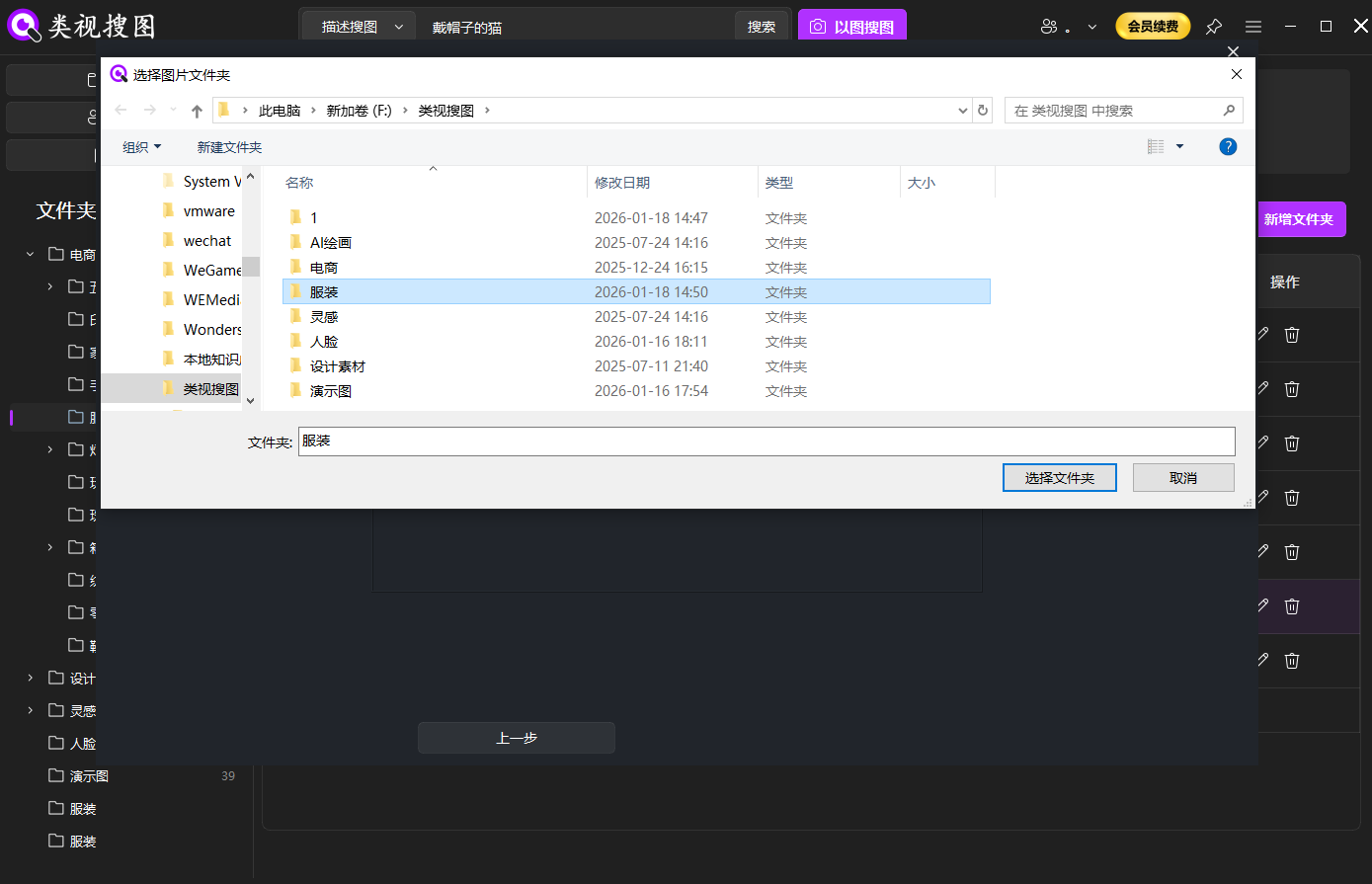 Caption: Local pattern search stays precise when the indexed fabric folders are curated.
Step 2: use a representative swatch as the reference
The reference image controls match quality. Choose a clear repeat unit with minimal distortion. If the photo includes folds or props, crop to the texture area. Search entry details: local image search guide.
Reference checklist:
- Repeat unit is intact and visible
- Lighting is even, with low glare
- Background noise is removed by cropping
If the motif is directional (for example, a diagonal or a botanical stem), keep the orientation consistent across references. Rotated swatches can still match, but consistent orientation typically yields higher similarity scores and makes side-by-side review easier.
For complex prints, use two references: a full repeat unit and a close-up of the key motif. The full repeat keeps structure consistent, while the close-up helps the model lock onto signature elements such as florals or geometric marks.
When photographing swatches, keep the camera perpendicular to the fabric and fill the frame with the repeat unit. Folded cloth introduces shadows that confuse similarity. A quick re-shoot with flat lighting can save hours of manual comparison later and improves how reliably local pattern search groups candidates.
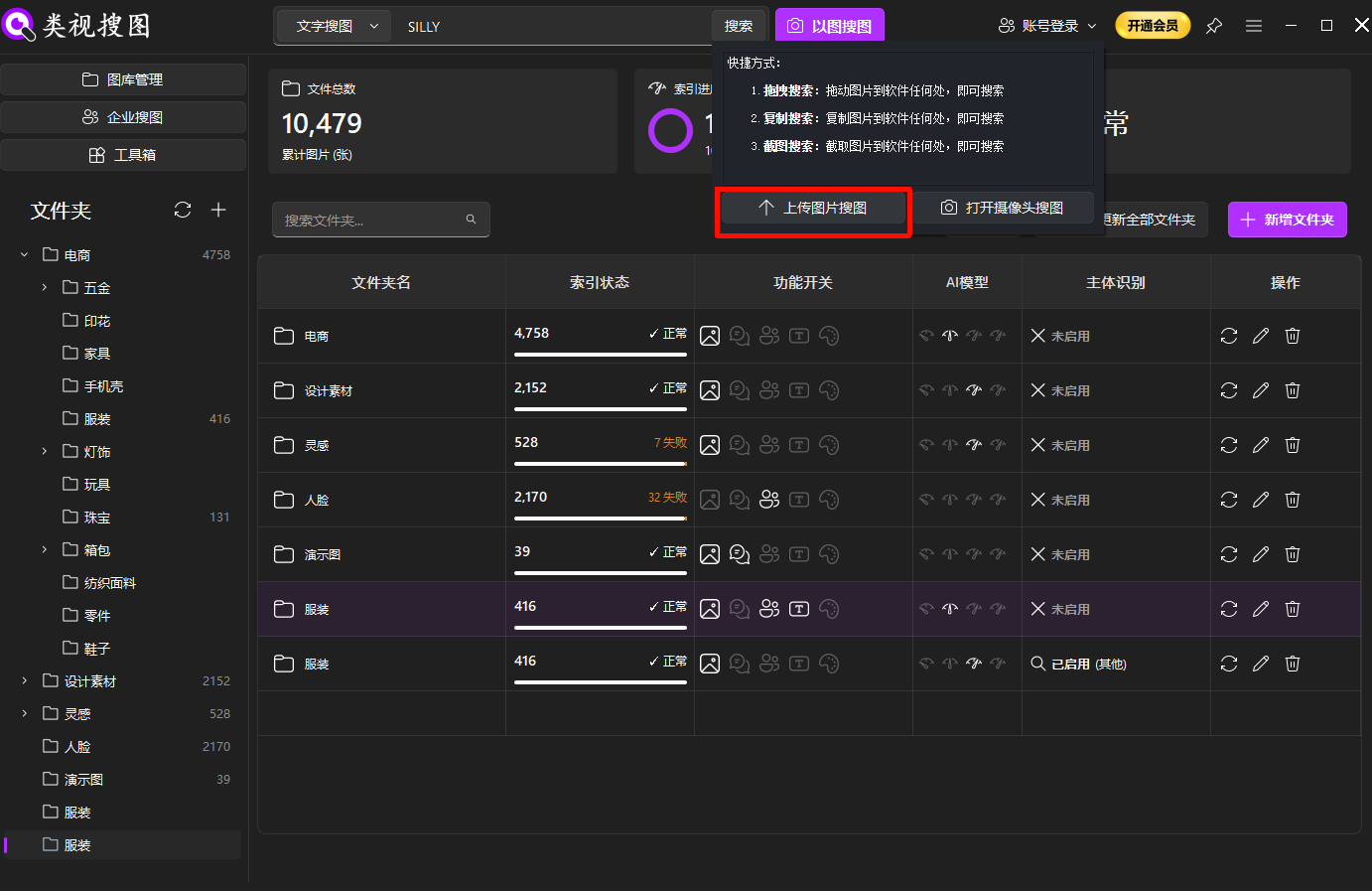 Caption: A clean swatch reference helps local pattern search focus on the true motif.
Step 3: refine by similarity and open the source folder
Increase similarity to lock the closest matches, then filter by folder to isolate a material or supplier. After that, lower similarity slightly to include colorway variants. Results tips: browsing and filtering guide.
When results are too broad, tighten similarity first before changing the folder scope. When results are too narrow, loosen similarity slightly and add a second folder. Changing one variable at a time helps you understand why the result set shifts, which is essential for repeatable workflows.
Once the result set looks clean, open the source folder and archive the chosen candidates immediately. A short “approved” or “ready for sampling” subfolder keeps the next project from repeating the same search again.
Many teams use similarity bands to keep discussion structured: 90%+ for near-duplicates, 80–90% for same motif with minor variations, and 70–80% for adjacent styles. These bands make review meetings faster and keep the final selection traceable.
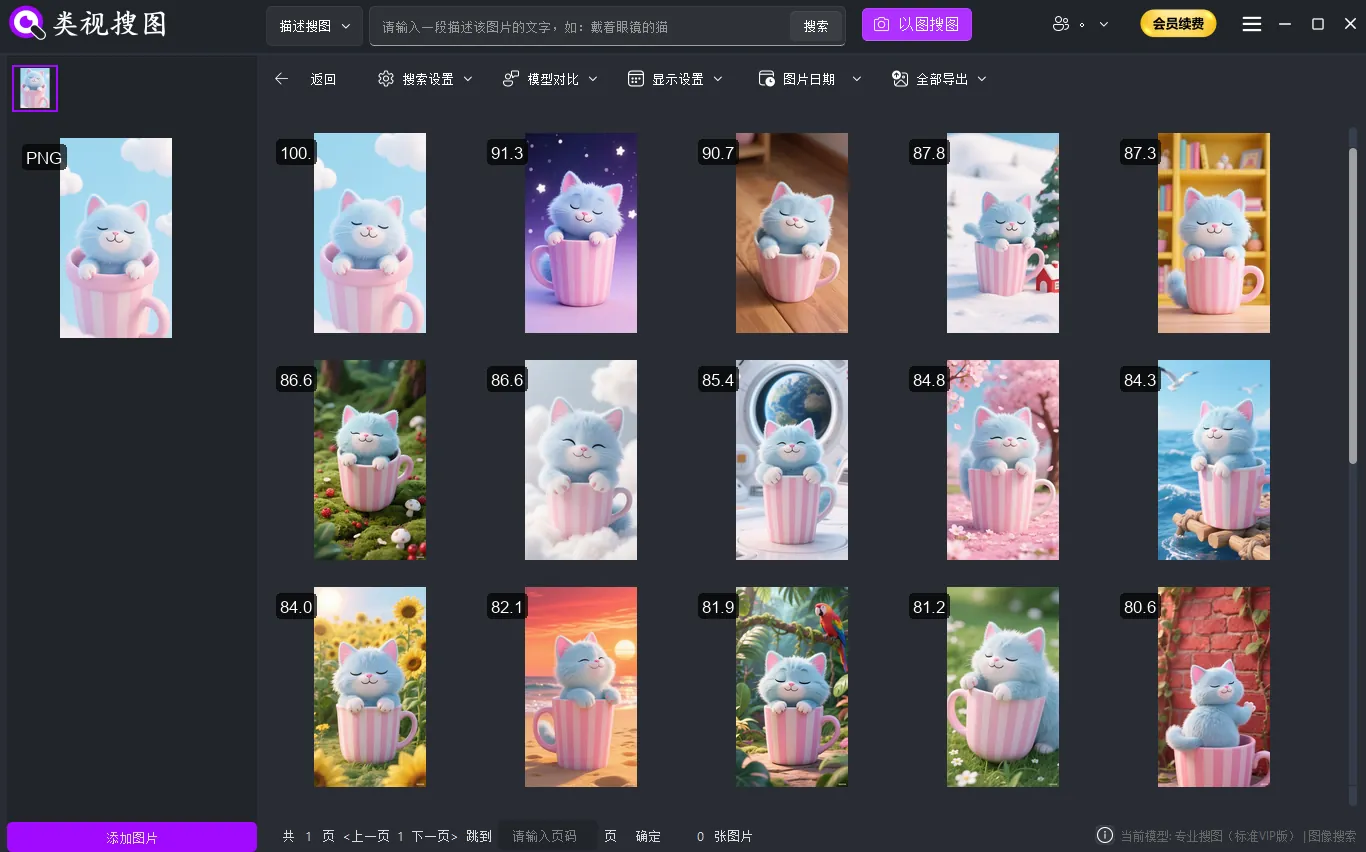 Caption: Converge by similarity first, then open source folders to reuse the real files.
Fabric-specific control: repeats, colorways, supplier alignment
Textile teams need more than “similar” matches. Use these controls to keep decisions reliable:
- Repeat scale: record repeat size and avoid mixing different scales in one search.
- Colorway control: store palettes in subfolders so you can filter quickly.
- Supplier tags: include supplier identifiers in folder names for fast alignment.
- Sampling stage: separate draft, sample, and approved versions to prevent reuse errors.
Pattern metadata that keeps results stable
Capture a lightweight set of metadata the same way for every pattern. This can be done purely through folder naming, so the workflow remains simple and file-system friendly:
Category / Motif / Material / Repeat-Size / Colorway- Example:
Floral/Tonal/Cotton/Repeat-30cm/Blue-01
Repeat size is especially important in fabric programs. Two prints can share a motif but fail in production if the repeat scale is wrong. By baking repeat size into the folder structure, your team can quickly filter out mismatched candidates before sampling.
Supplier alignment playbook
When suppliers send new swatches, use a consistent intake loop:
- Index the supplier intake folder only.
- Search with the supplier swatch as the reference.
- Compare top matches against the approved library.
- Promote confirmed patterns into the master folder and tag the supplier.
This loop keeps supplier alignment fast and creates a traceable record of where each pattern originated. It also makes it easier to explain why a print was accepted, revised, or rejected.
Track alignment outcomes in a short log: swatch name, supplier, closest match, and final decision. This log becomes a lightweight audit trail for merchandising and helps suppliers understand what changed between the original submission and the approved pattern.
Pair the alignment log with a simple colorway map. Listing the approved palette codes next to each motif avoids accidental mismatches when the same print is produced across multiple materials or seasons.
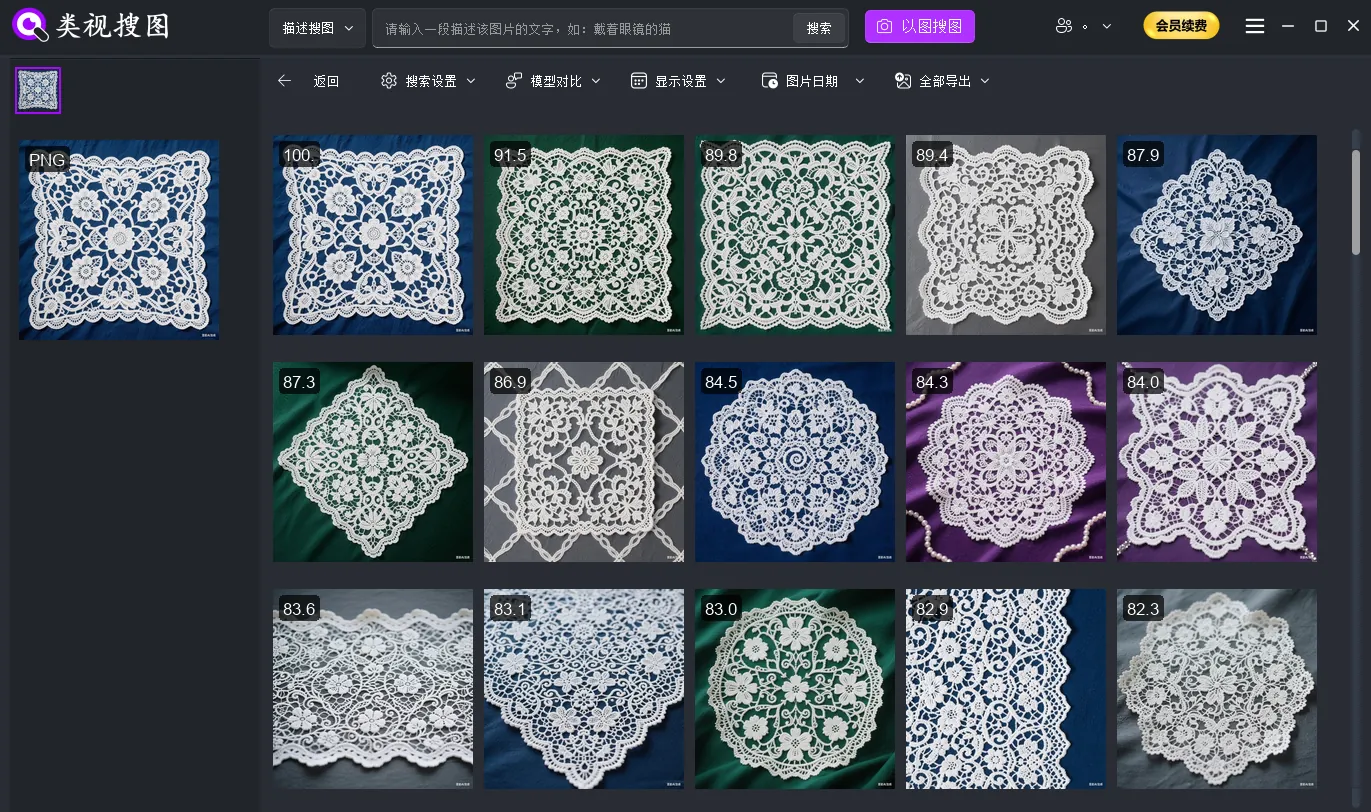 Caption: Local pattern search clusters fabric prints so teams can compare repeats and palettes side by side.
If you need to align supplier submissions fast, index the supplier intake folder first, confirm the closest matches, then merge approved patterns into the master library.
Review checklist before sampling
Before approving a print for sampling or production, validate:
- Repeat size matches the intended product scale
- Colorways align with the season palette plan
- Material tags match the current textile base
- Pattern is not duplicated in an existing collection
This review step is short but prevents costly mistakes. A five-minute check can save weeks of rework once sampling begins.
If you share results with external partners, export only the approved subset. Keeping drafts inside the library avoids confusion and protects internal concepts until the collection is locked.
Checklist and common questions
Quick checklist:
- Build one master pattern library before expanding
- Archive reusable prints immediately after each search
- Standardize naming as category-style-material-colorway
- Clean low-quality or duplicate assets monthly
- Troubleshoot with FAQ guidance if results drift
If multiple teams work on the same library, add a short weekly review where design and sourcing verify the “approved” folder together. The shared decision reduces rework and improves confidence in search results.
Track one efficiency metric, such as “time to locate a matching print,” so the team can confirm the workflow is improving. Even a rough before-and-after comparison helps prove the value of local pattern search to stakeholders.
FAQ:
- Q: Dense motifs return unstable matches. What should I do?
- A: Crop to a full repeat unit, use higher resolution, and tighten similarity.
- Q: Can I find the same print in different colorways?
- A: Yes. Lock the structure with high similarity, then loosen it to include palette variants.
- Q: Mixed materials create noisy results. How do I fix it?
- A: Search by material folders first, then expand cross-material only after the core set is stable.
Summary and next step
Local pattern search becomes truly effective when the workflow is fixed: index → reference → refine → archive. With repeat scale and colorway controls, textile teams can align faster with suppliers and avoid re-sampling work.
To test the workflow, start with one high-frequency fabric folder and run five real swatches through the process. Ready to try it? Download here: download link.