
Offline Product Recognition Search for POD Apparel Selection
POD apparel teams move fast, but selection cycles often lag. Assets live across vendor folders, mockups, print files, and historical campaigns. The only way to keep launches on pace is to turn selection into a repeatable offline product recognition search workflow, so every query lands on reusable candidates without uploading sensitive files.
This guide shows how POD teams can index high-signal folders, search by reference, and converge results into a reusable selection pool. The workflow is local-first, fast to repeat, and designed for quick drops and print-on-demand variations.
Why POD apparel selection slows down
POD selection is not slow because teams lack styles. It slows down because the same style splits into too many versions:
- Scattered assets: packshots, mockups, print files, and on-model photos live in different paths.
- Variant sprawl: colorways, print placements, and size variants blur together.
- Inconsistent ownership: design, operations, and sourcing each keep their own archive.
- No-upload constraints: pre-launch assets must stay offline.
The fix is to search by visuals first, then use structure to filter down to the exact reusable files.
Step 1: Build a focused offline index
Start with folders you reuse most often, not everything. A clean scope keeps matches accurate and makes the workflow scalable. Setup details: first-time setup guide.
Recommended folder structure:
POD_Apparel/
  2026_Spring/
    Hoodie/
      SKU_3021_Black/
    Tee/
      SKU_5128_White/
  2026_Summer/
    Dress/
      SKU_7804_Blue/
Indexing best practices:
- Keep packshots, detail shots, and print files under the same SKU folder.
- Sync indexing after new imports in gallery management.
- Store temporary project assets in a separate “Project” folder until they are approved.
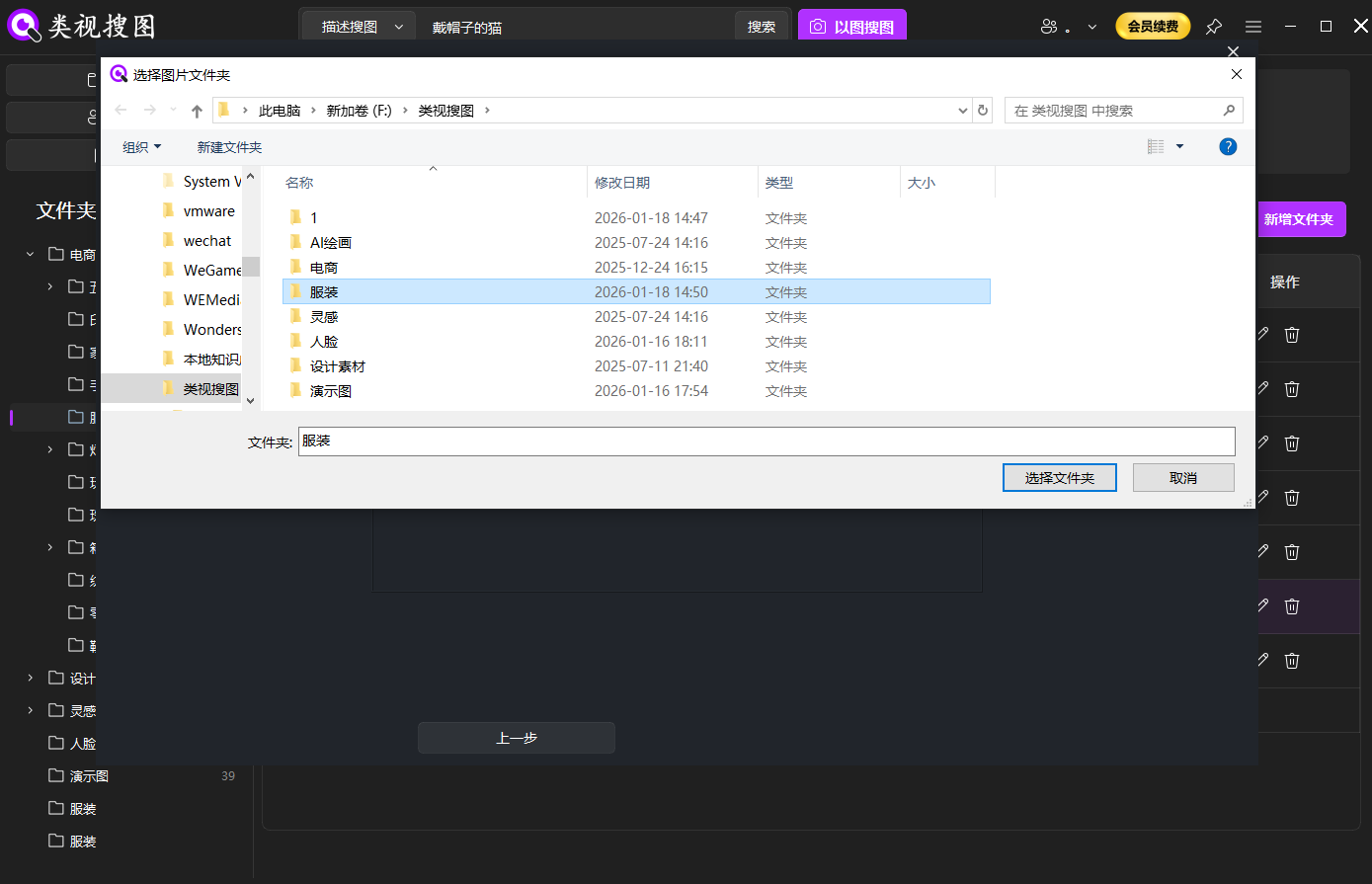 Caption: Start with high-frequency POD apparel folders to keep search results stable.
Step 2: Run the offline product recognition search with a reference image
Reference quality sets the ceiling for match quality. For POD apparel, keep three reference types ready:
- Clean packshot or flat lay for silhouette accuracy
- On-model shot for drape and styling context
- Print close-up to lock pattern placement
Launch the search via drag, paste, or upload: local image search guide. If the background is busy or multiple garments appear, crop the reference image and raise similarity to isolate the target item.
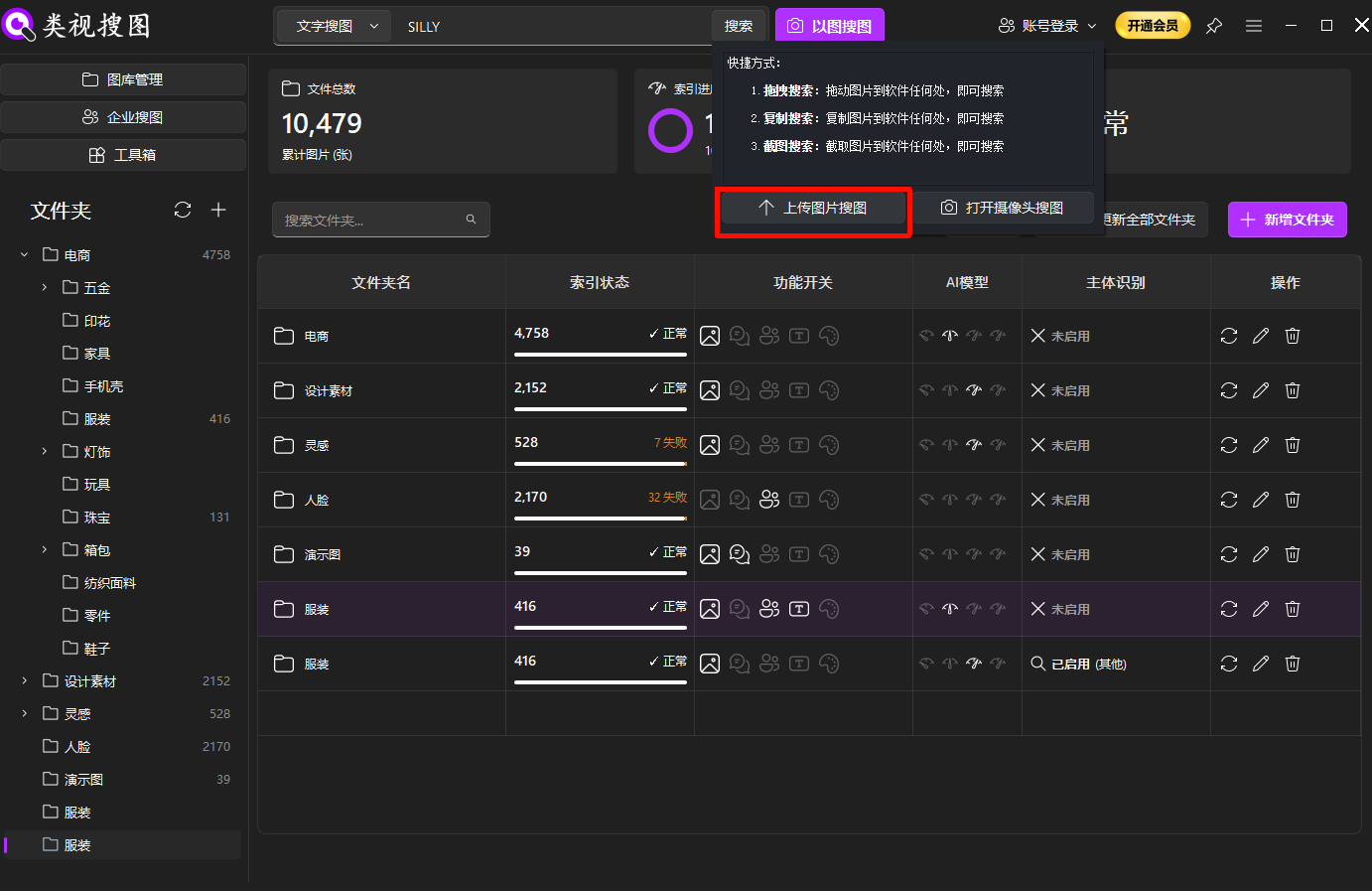 Caption: A clear reference image keeps the POD apparel search focused on the right style.
Step 3: Refine with similarity and folder filters
Do not scroll endlessly. Converge first, then review:
- Raise similarity to lock the closest matches
- Filter by folder to isolate season, SKU, or brand
- Relax similarity to include angle or placement variants
Filtering tips: browsing and filtering guide. Once you open the source folder, you can pull matching packshots and print files into a reusable selection pool.
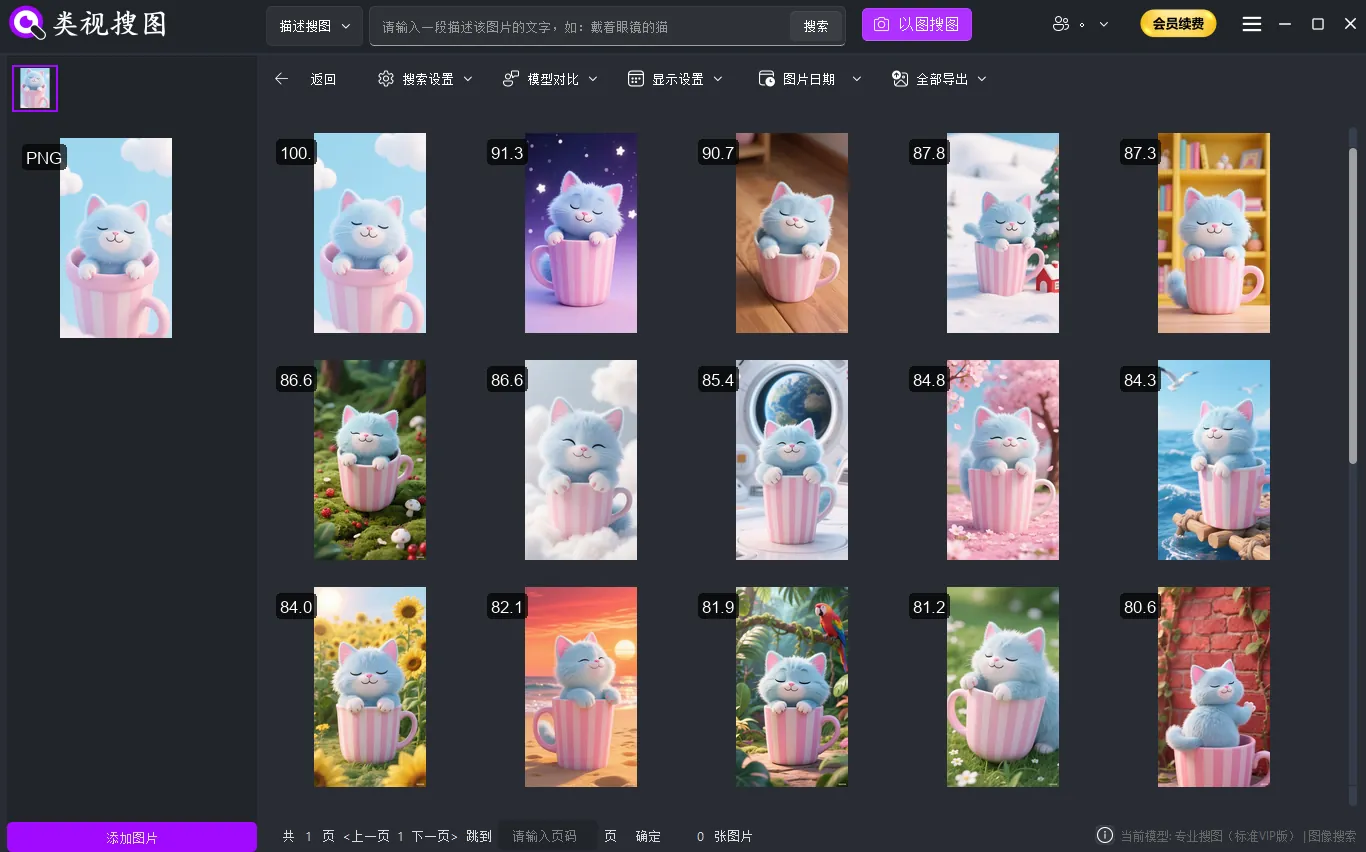 Caption: Converge results before opening source folders for reuse.
POD selection differences: print placement, silhouette, and variants
POD selection depends on details that visual similarity alone can blur. Always verify:
- Print placement: chest, back, or sleeve position shifts the final look
- Pattern density: full-bleed vs. localized prints should not mix
- Silhouette changes: drop shoulder vs. set-in sleeve, relaxed vs. slim
- Colorway control: lock silhouette first, then expand to palette variants
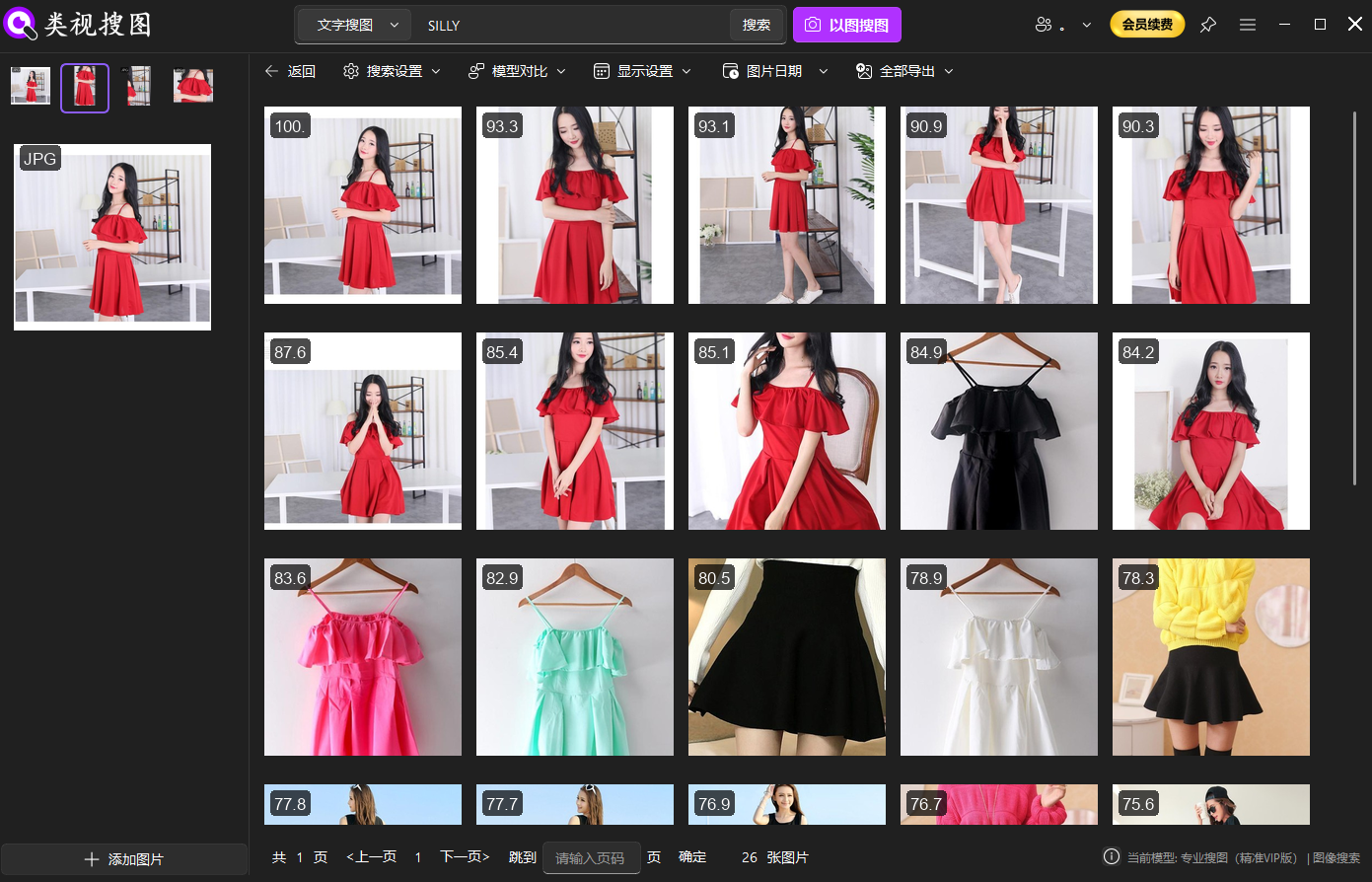 Caption: Compare print placement and silhouette details before final POD selection.
Pitfalls, checklist, and next step
Common pitfalls:
- Indexing too wide too early: start small and expand only after stable hits.
- Over-cropped references: keep enough silhouette to retain structure.
- Missing index updates: sync after new imports to avoid invisible files.
- Mixed variants in one folder: separate colorways and placements to reduce noise.
Execution checklist:
- Build one high-frequency POD library and index it first.
- Save 2–3 standard references per SKU.
- Converge results with similarity, then filter by folder.
- Archive reusable candidates into a “Selection Pool.”
- Review thresholds monthly and align the team on settings.
Once the offline product recognition search workflow is stable, POD selection becomes repeatable instead of chaotic. Ready to start? Download here: download.