
Complete Guide to Local Clothing Image Search: AI Clothing Recognition and Management
Summary: This guide shows how to manage clothing images with AI. With FlareSeek’s clothing recognition, designers, e-commerce teams, buyers, and fashion enthusiasts can quickly find similar styles and organize large libraries with confidence.
In fashion and e-commerce, managing clothing images is a constant challenge. Designers need inspiration, operators need fast matching, and buyers need trend insight. This guide explains how FlareSeek brings efficient local clothing image search with AI recognition and library management.
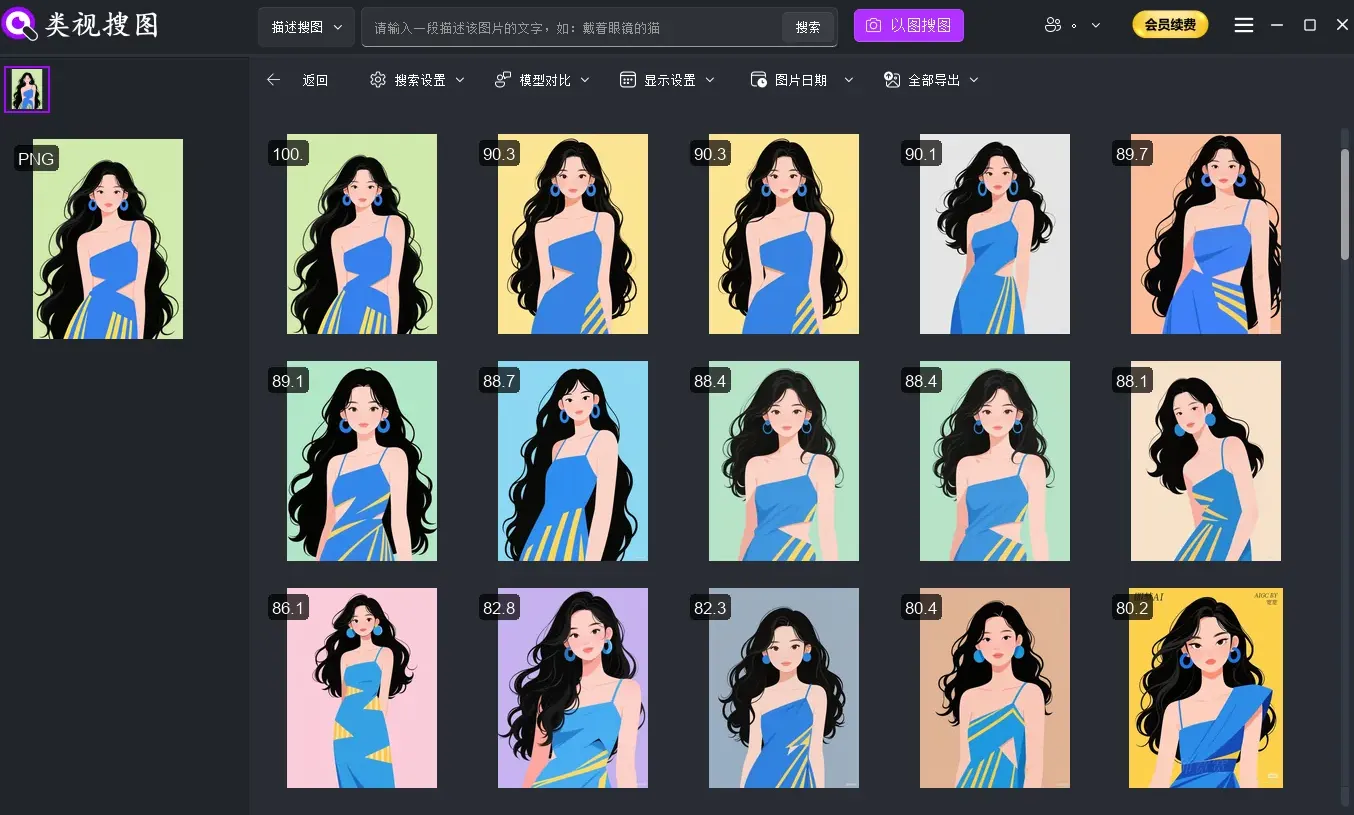
Pain points in clothing image management
Common challenges across the industry
Professionals typically face the same friction:
- Massive style catalogs across seasons
- Images scattered across design drafts, samples, and product shots
- Complex classification by style, color, fabric, and season
- Slow search when relying on file names and folders
- Duplicate storage from multiple angles of the same item
- High time cost for manual searching
Limits of traditional clothing image search
| Traditional method | Limitation |
|---|---|
| Folder classification | Single dimension, poor for multi-angle retrieval |
| Manual tagging | Time-consuming and inconsistent |
| File name search | Requires precise keywords, cannot match visuals |
| Online image search | Requires uploads, risks privacy, cannot search local libraries |
FlareSeek: a local AI clothing image search solution
Built for fashion workflows
FlareSeek is a local AI image search app optimized for clothing libraries. With modern deep learning models, it recognizes style, color, and patterns so you can search fast and keep sensitive assets private.
Core advantages
| Feature | Value for fashion teams |
|---|---|
| AI clothing recognition | Detect clothing subjects and remove background noise |
| Similar style search | Find near-matching styles quickly |
| Multi-dimensional retrieval | Search by color, style, pattern, and text |
| Privacy-first | Fully local processing protects design assets |
| Efficient batch handling | Batch management, dedupe, and export |
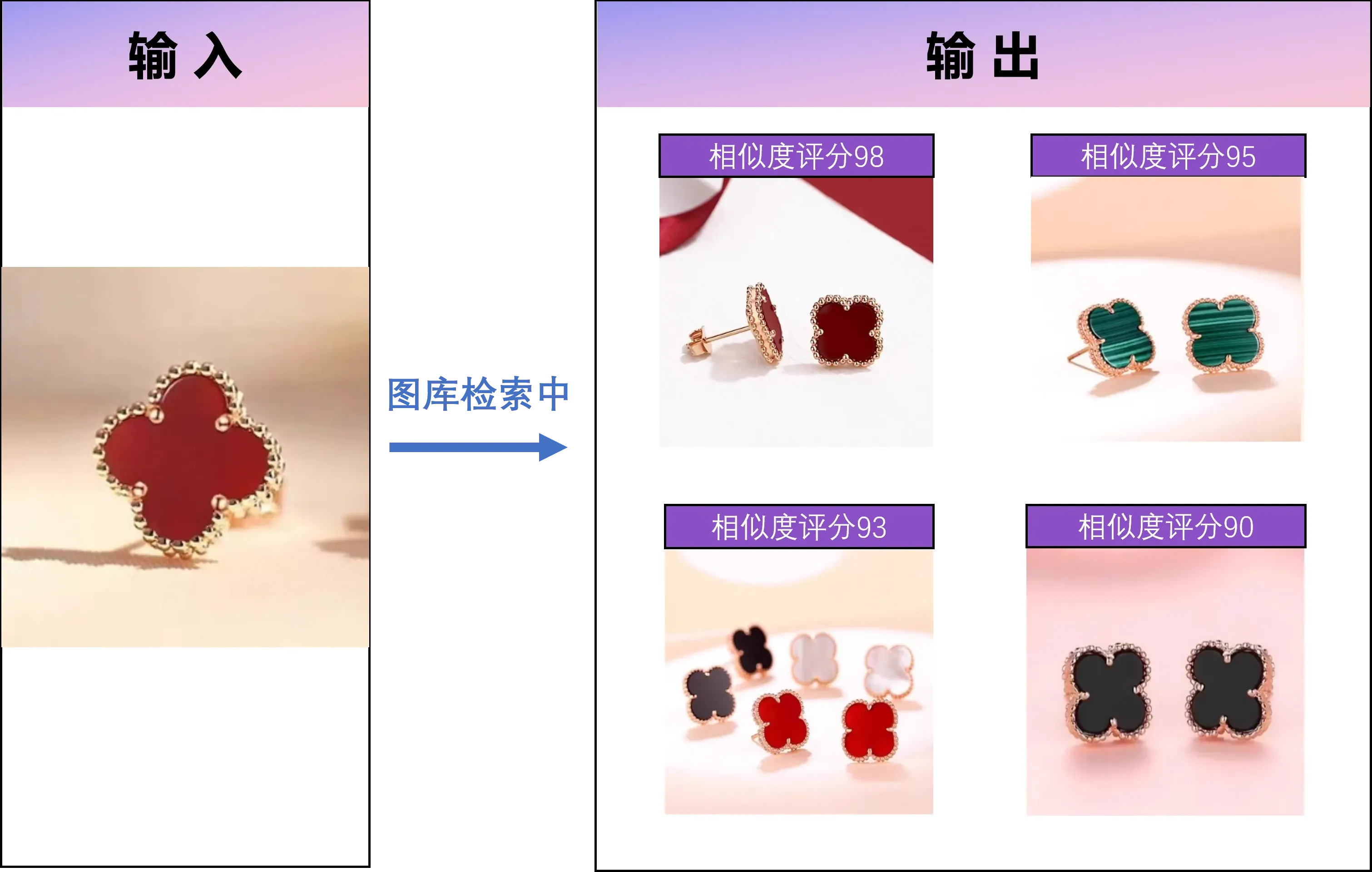
Core capabilities: AI clothing recognition and search
Clothing subject recognition
FlareSeek’s AI clothing recognition engine detects the clothing subject even in complex backgrounds and extracts meaningful features for accurate matching.
Key strengths
- Precise subject bounding and detection
- Background removal for cleaner features
- Multi-item detection in one image
- Multi-dimensional feature extraction (style, color, pattern, fabric)
Similar clothing search
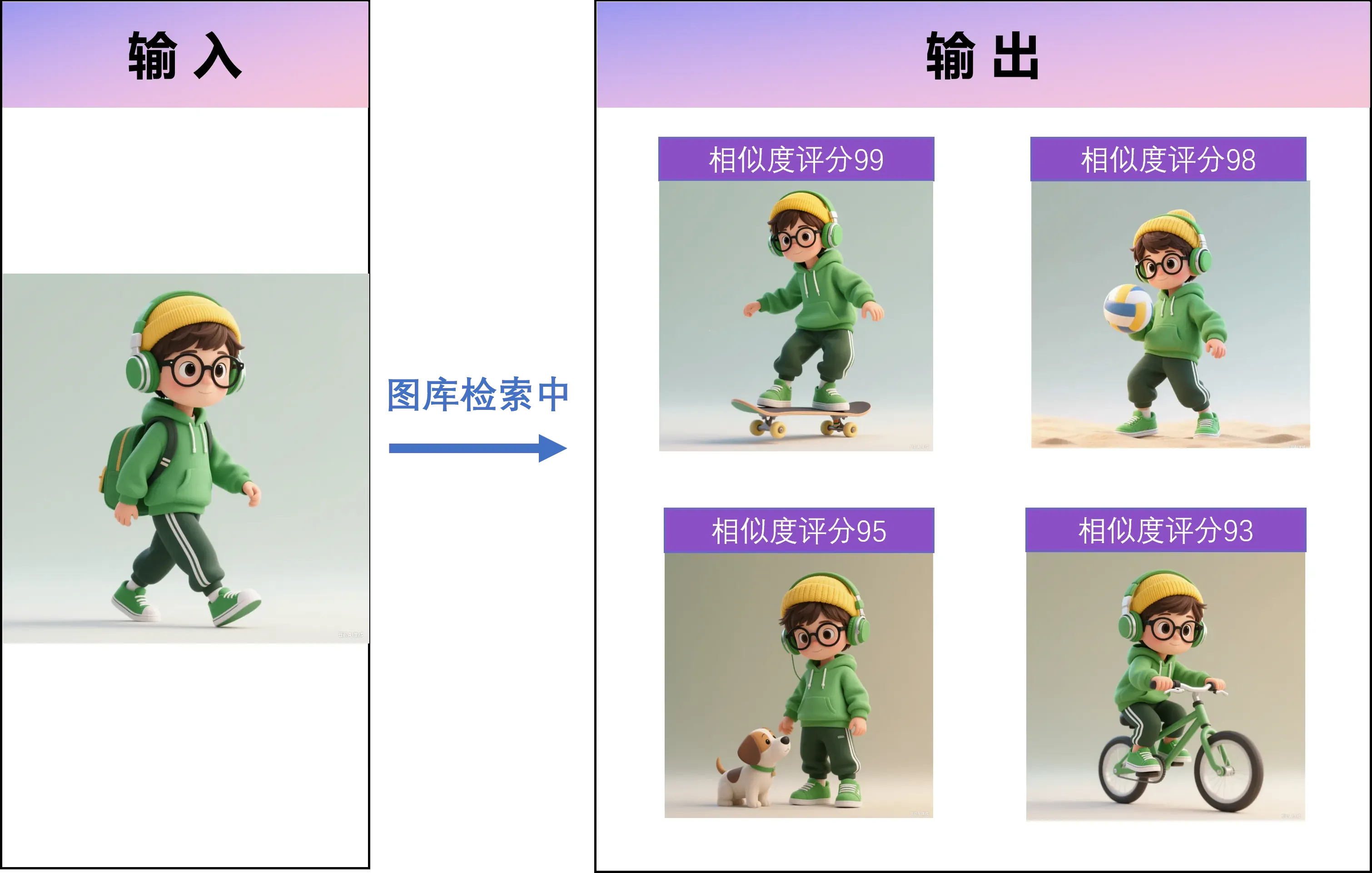
With similar image search, upload one reference image and FlareSeek retrieves all similar styles in your local library, ranked by similarity.
Use cases
Fashion designers
- Search for inspiration from past designs
- Compare similar styles to avoid duplication
- Find specific elements like collars or sleeves
E-commerce operators
- Identify competing styles and similar items
- Reference bestsellers to plan new items
- Organize product libraries by visual similarity
Fashion buyers
- Compare styles across suppliers
- Analyze trend direction with similar styles
- Speed up procurement decisions
Fashion enthusiasts
- Find wardrobe duplicates
- Organize looks by similarity
- Create styling combinations fast
Clothing color search
Color is a key fashion dimension. FlareSeek supports color search with primary and secondary color detection.
Highlights
- Automatic primary color extraction
- Search by color families (warm, cool, neutral)
- Precise RGB color matching
- Full palette matching for outfits
Example queries:
"red dress" -> locate all red dresses
Color picker -> find garments in brand color
Black and white palette -> retrieve monochrome styles
Pattern and texture recognition
FlareSeek’s pattern search detects prints, textures, and decorative details in clothing.
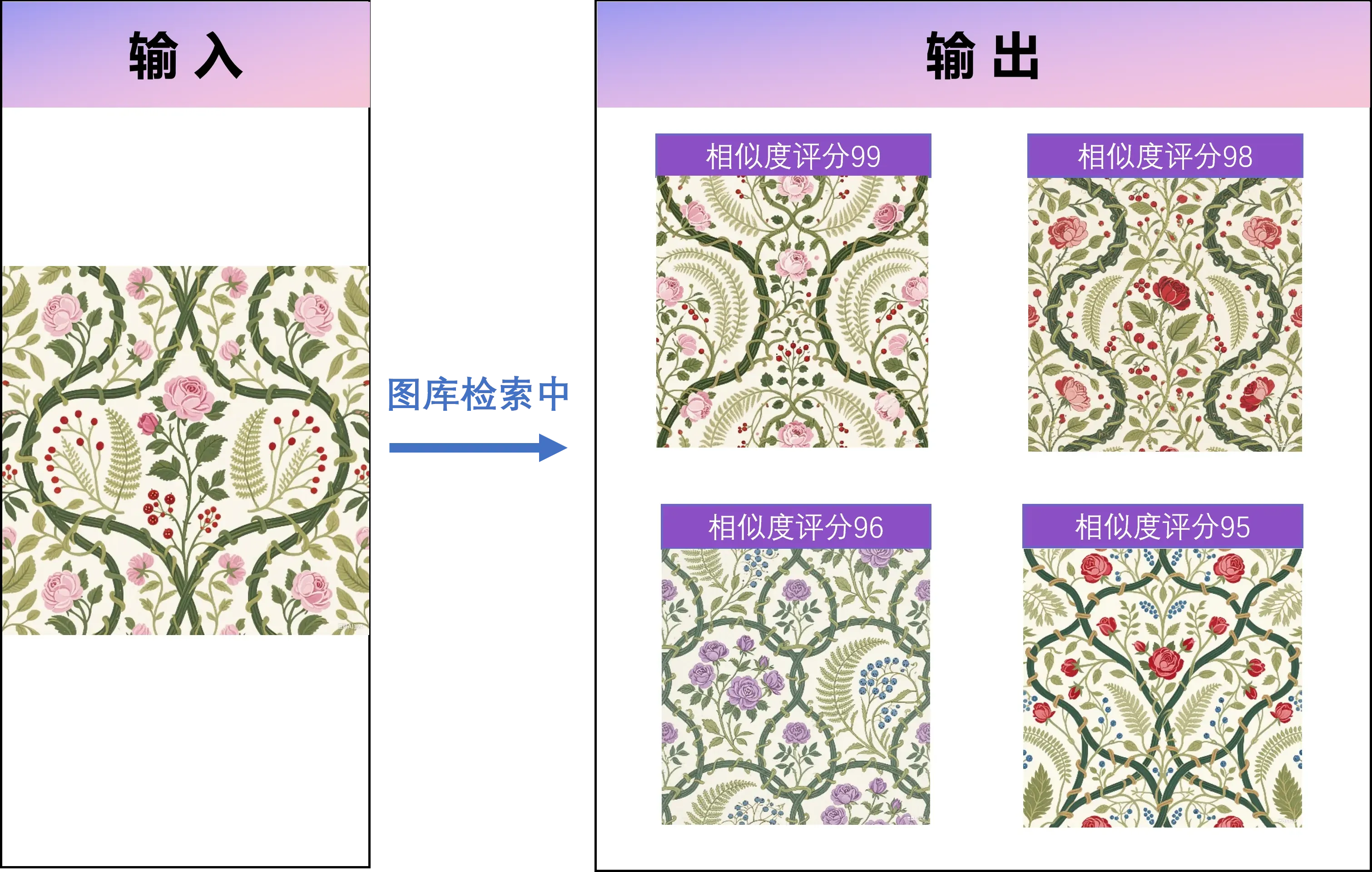
| Pattern type | Recognition coverage |
|---|---|
| Printed patterns | Floral, animal, geometric prints |
| Geometric textures | Stripes, checks, dots |
| Ethnic motifs | Regional and cultural patterns |
| Embroidery details | Lace and embroidery elements |
Industry applications
- Designers search pattern archives for inspiration
- Manufacturers manage fabric pattern libraries
- Buyers analyze pattern trends
Text recognition and semantic search
OCR text recognition
Text-in-image search uses OCR to detect brand labels, size tags, and item codes.
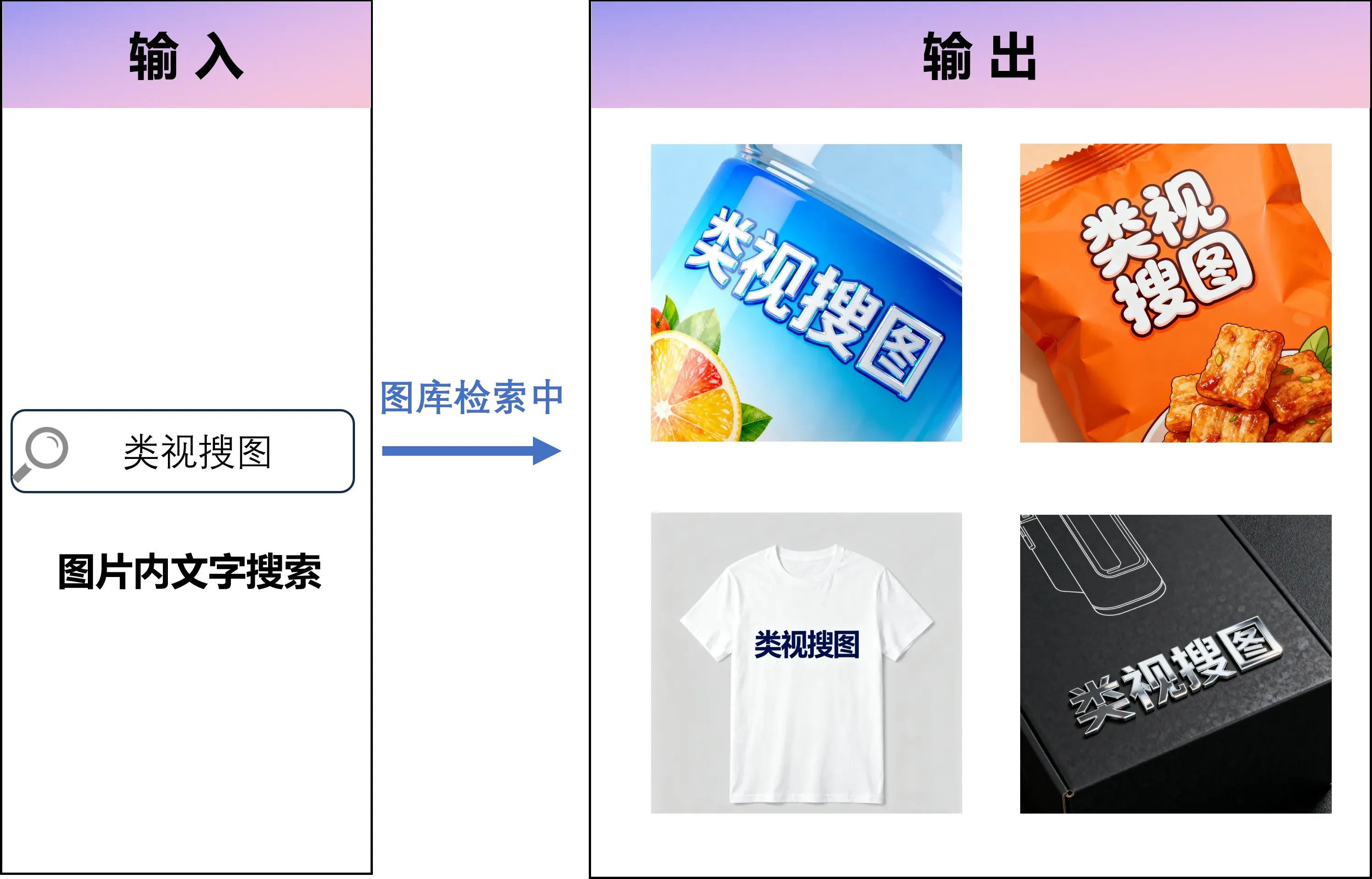
Common scenarios
- Search for brand names within product images
- Organize by size tags
- Track pricing labels
- Find specific SKU or style numbers
Semantic description search
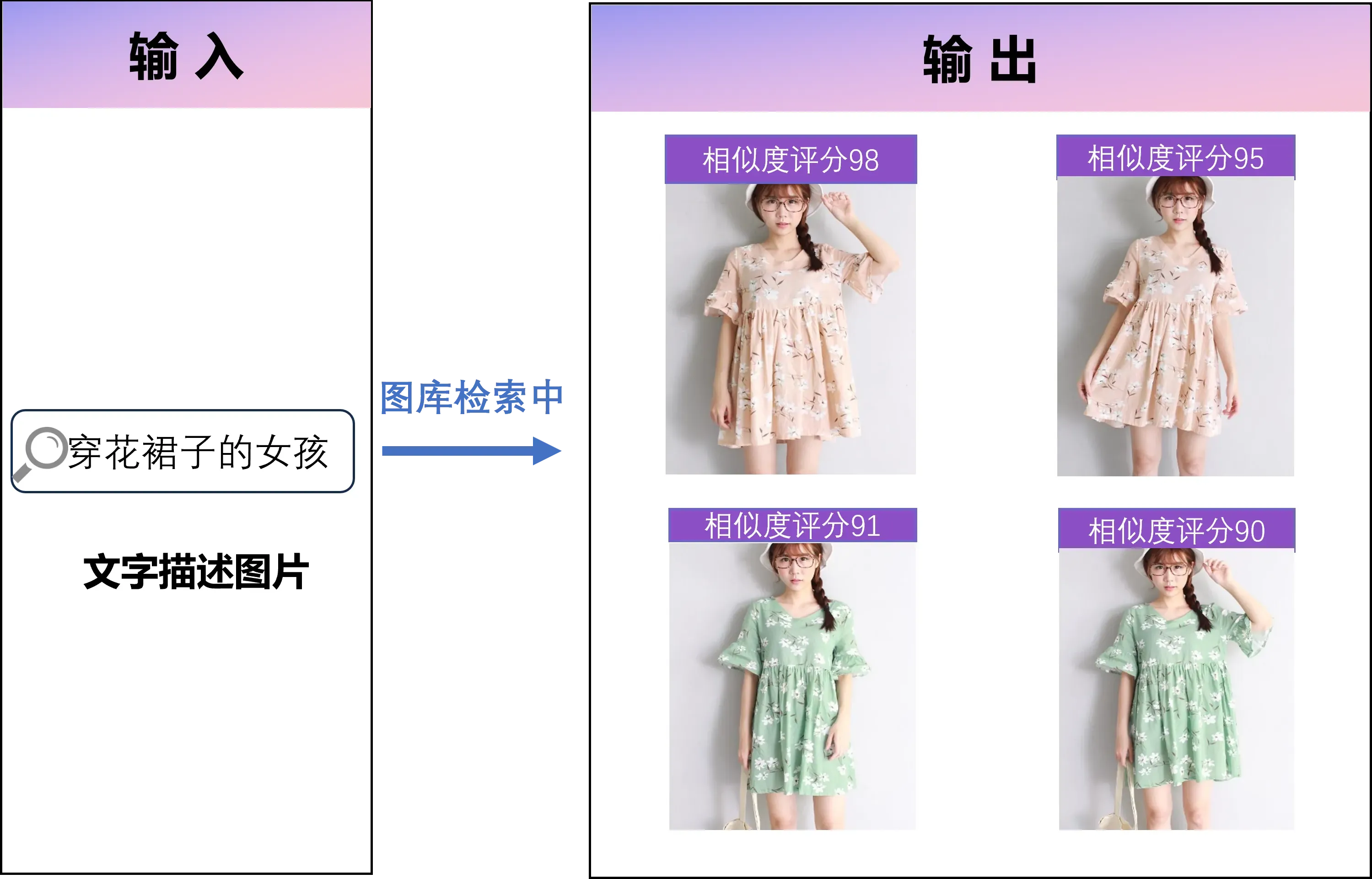
Semantic search lets you describe clothing with natural language.
Natural language queries:
"red V-neck dress" -> all matching styles
"business casual menswear" -> relevant menswear styles
"floral chiffon blouse" -> chiffon tops with floral prints
"long down jacket" -> long-length down jackets
Supported descriptions include:
- Style types (dress, shirt, coat, pants)
- Color descriptions (red, blue, monochrome)
- Fit and silhouette (slim, relaxed, A-line)
- Fabric traits (cotton, linen, leather, denim)
- Style tags (casual, business, streetwear)
- Detail elements (V-neck, ruffles, high waist)
Professional clothing library management
Batch operations
FlareSeek’s batch management and export supports renaming, grouping, and exporting clothing images at scale.
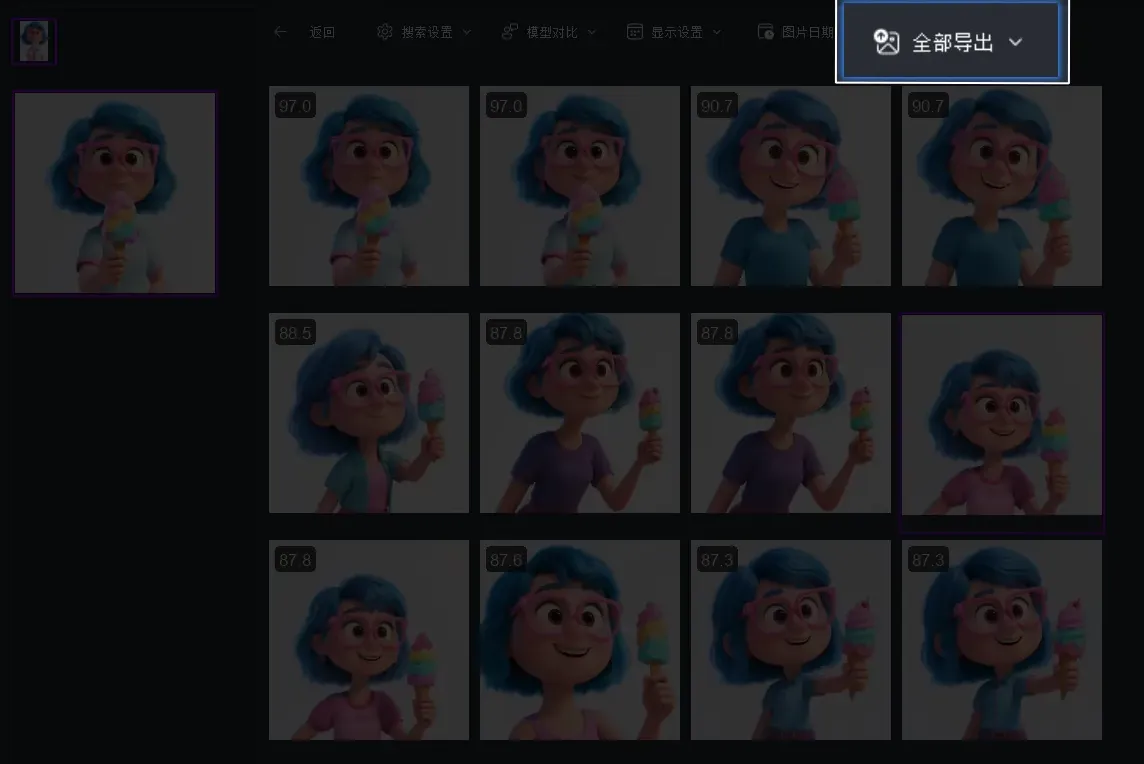
Batch capabilities:
- Batch rename (brand_style_color)
- Smart classification into folders
- Batch export by category
- Batch delete duplicates
- Batch tagging
Duplicate detection
Duplicate detection identifies identical items shot from different angles or with slight edits.
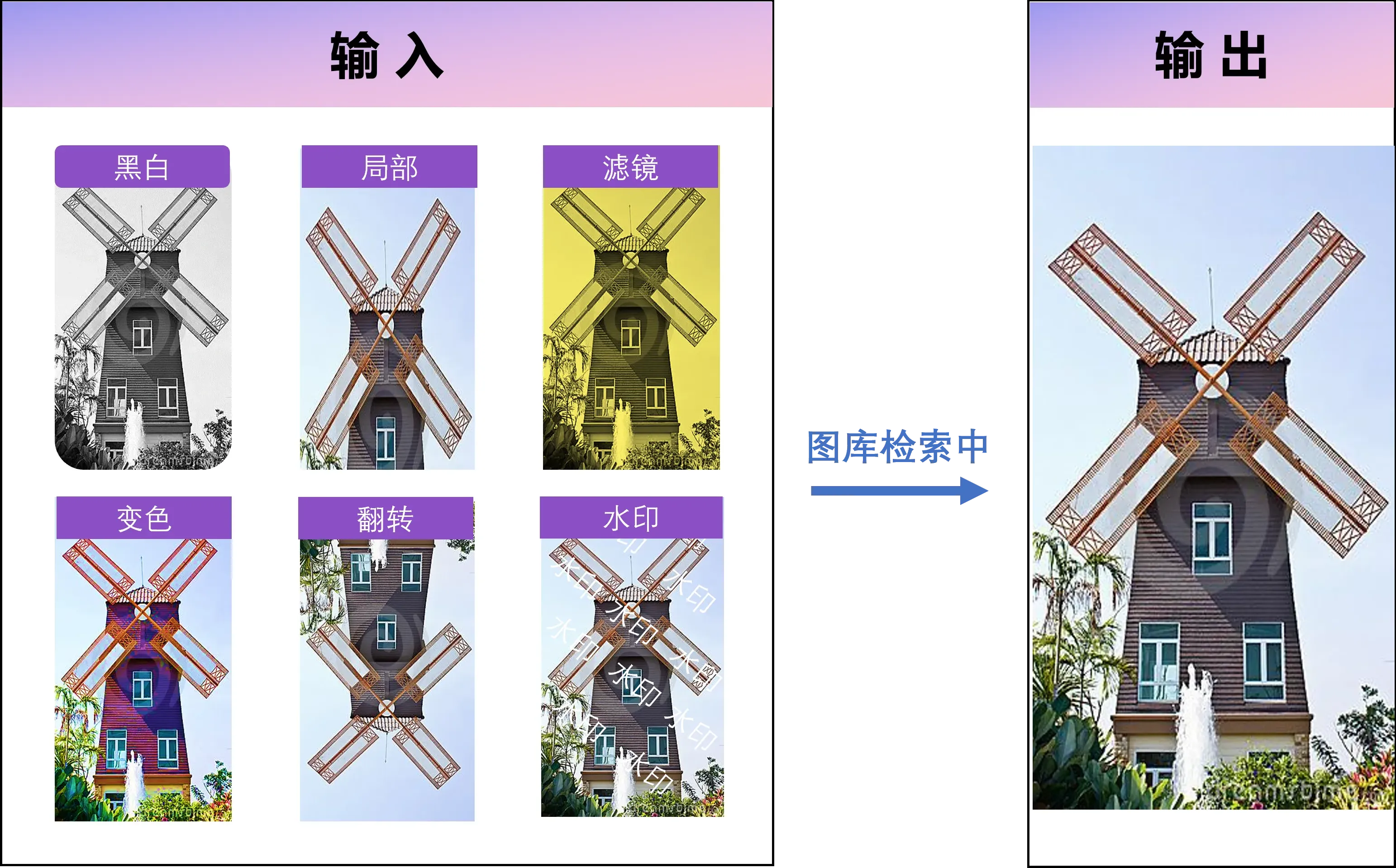
- Detects the same item across angles
- Resilient to crop, resize, watermark
- Similarity scoring for fine control
- Saves storage and improves search speed
Cross-device library search
Cross-device search connects local folders, NAS, and cloud-synced directories into one searchable library.
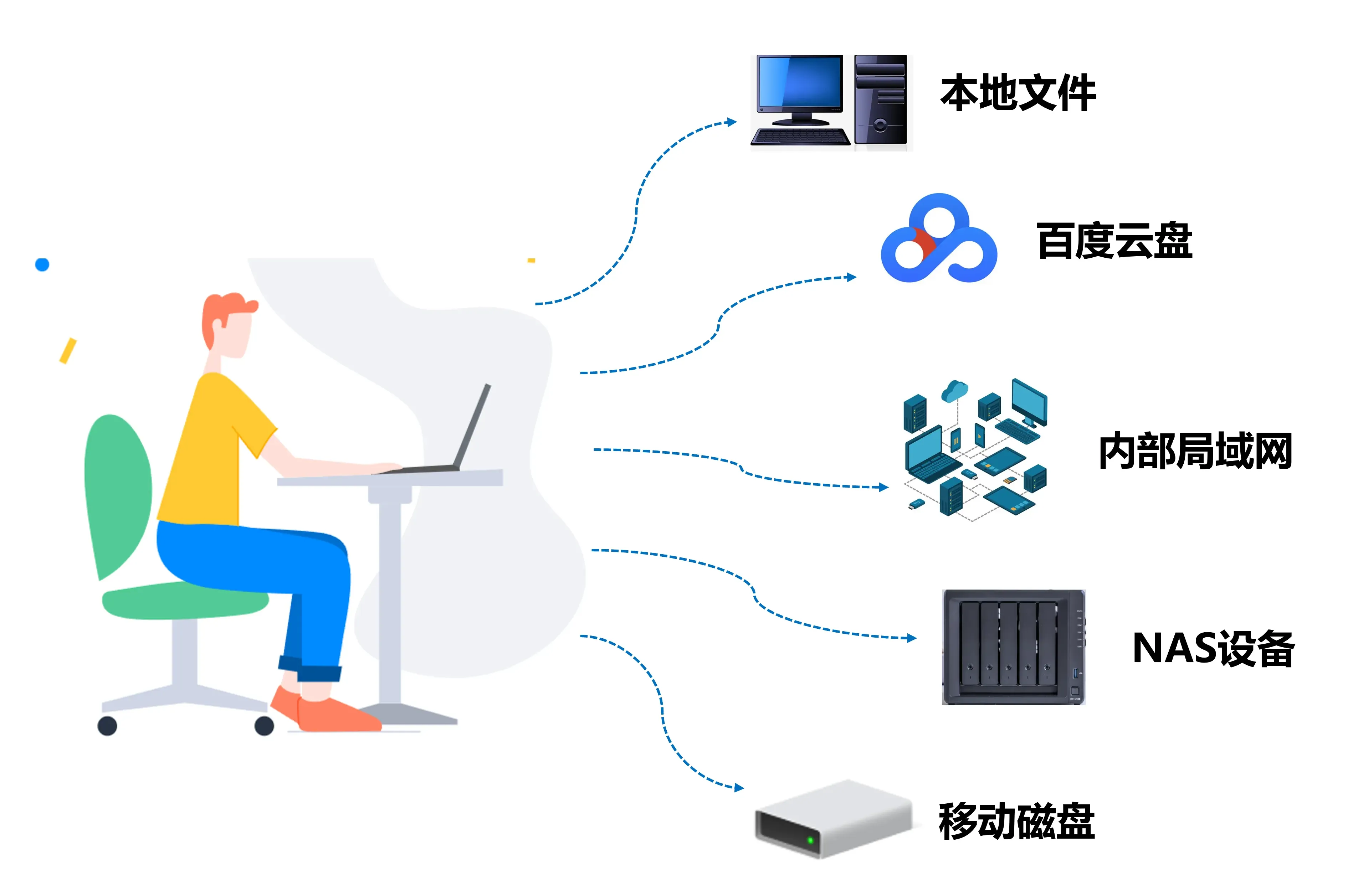
| Scenario | Usage |
|---|---|
| Multi-computer teams | Unified search across design workstations |
| NAS storage | Company-wide library access |
| External drives | Search historic collections |
| Cloud sync | Localized search across synced drives |
Fast preview for clothing details
Fast preview is tuned for clothing detail inspection.
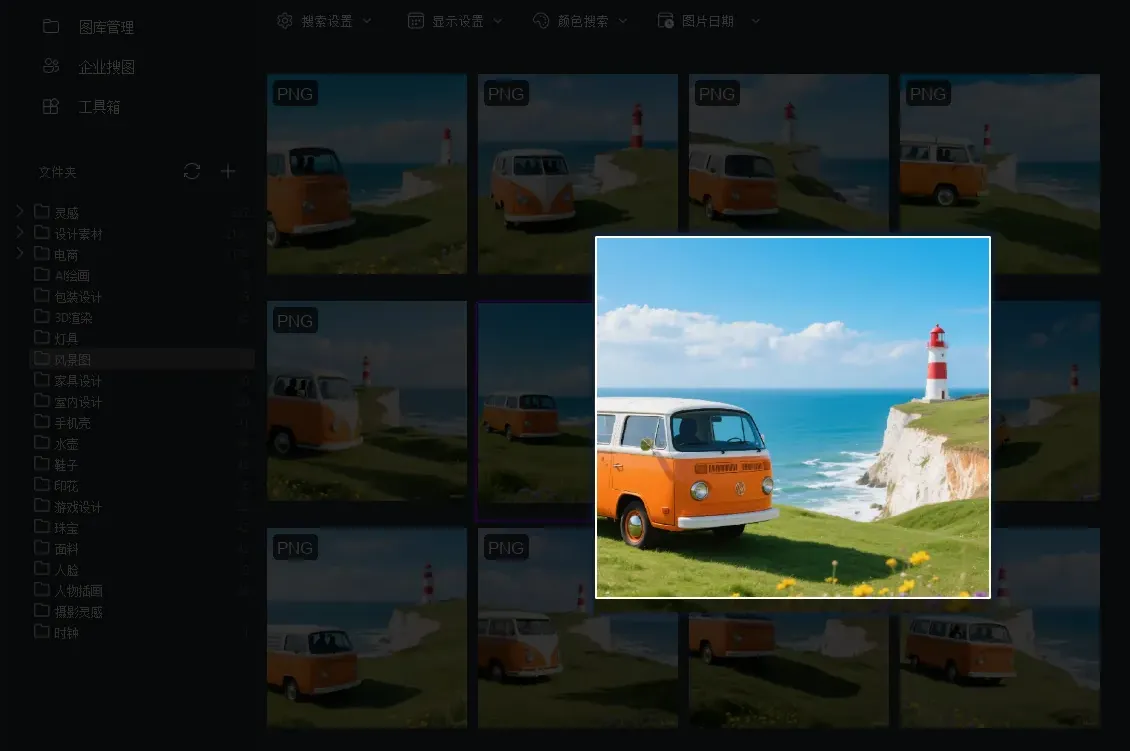
- High-speed thumbnails
- Detail zoom for fabrics
- Multi-angle side-by-side comparison
- Accurate color rendering
Industry-specific scenarios
Fashion designers
Workflow
- Collect inspiration images
- Build an indexed library in FlareSeek
- Search by style, color, and pattern
- Combine similar elements into new designs
Value
- Organize designs by season and collection
- Find similar styles in seconds
- Reduce repetitive design work
- Track style evolution over time
E-commerce clothing operations
- Find same-style items quickly
- Analyze competitor images for selection
- Auto-classify product categories
- Organize model shots, flat lays, and details
Competitive analysis workflow
- Collect competitor images
- Search similar styles in your library
- Compare pricing, sales, and reviews
- Build differentiation strategy
Fashion buyers
Trend analysis
- Track style frequency across brands
- Detect color trend shifts
- Analyze pattern popularity
- Estimate market share by style
Supplier management
- Organize supplier sample images
- Find styles by supplier quickly
- Compare similar styles across suppliers
- Support negotiation with visual evidence
Apparel manufacturing
Fabric and style matching
- Manage fabric images
- Match fabrics to styles by visual traits
- Generate fabric usage lists fast
Production data management
- Organize patterns and spec sheets
- Search by style number
- Trace historical production records
- Map styles to documentation
Enterprise clothing library solutions
Multi-user collaboration
FlareSeek supports enterprise multi-user search so design, ops, and production teams can share one library.

| Feature | Value |
|---|---|
| Multi-user access | Cross-department usage |
| Permission control | Protect sensitive designs |
| Usage analytics | Track image usage by team |
| Version management | Manage design revisions |
| Central storage | Avoid scattered assets |
API integration
Enterprise APIs connect FlareSeek with existing systems.

Integration scenarios:
- ERP integration
- E-commerce platform sync
- CRM integration
- Design software plugins
Quick start: local clothing search
Installation and setup
FlareSeek runs on Windows 7/8/10/11 with simple setup.
Quick start:
1. Download the installer from the official site
2. Run the installer and follow prompts
3. Add clothing image folders
4. Build the index
5. Start searching with AI
Recommended library structure
Clothing Library/
├── Design Drafts/
│   ├── 2025 Spring-Summer/
│   ├── 2024 Autumn-Winter/
│   └── Archives/
├── Product Images/
│   ├── Dresses/
│   ├── Tops/
│   ├── Bottoms/
│   └── Outerwear/
├── Inspiration/
│   ├── Runway/
│   ├── Street Style/
│   └── Competitors/
└── Fabric Library/
    ├── Prints/
    ├── Solids/
    └── Specialty Fabrics/
Index optimization tips
- Update indexes after new imports
- Split large libraries into multiple indexes
- Use incremental indexing for new images
- Back up indexes regularly
Search precision tips
- Define the target item clearly (dress, shirt, coat)
- Combine image search with keyword search
- Use color filters to narrow results
- Adjust similarity threshold for precision
Scenario 1: find similar styles
1. Upload a reference image
2. Choose "similar image search"
3. Set similarity to 70-85%
4. Review results by similarity
Scenario 2: search by color
1. Use color search
2. Pick the target color
3. Set color tolerance
4. Review all matching items
Scenario 3: search by pattern
1. Upload a pattern reference
2. Choose "pattern search"
3. Let AI extract pattern features
4. Review similar pattern results
Case studies
Case 1: independent design studio
Background: 20,000 design images over 5 years. Designers needed to reuse historical elements efficiently.
Solution:
- Indexed the full design library
- Organized by season and style
- Used similar search for new designs
Results:
- Search time dropped from 30 minutes to 2 minutes
- Design repetition down 60%
- Inspiration discovery up 3x
"FlareSeek helps me find historical design elements fast and avoid duplication. Similar search saves me hours every week." — Designer Li Ming
Case 2: e-commerce clothing store
Background: 5,000+ SKUs, heavy image processing workload.
Solution:
- Built a full product library index
- Used product image search to locate same items
- Used similar search to guide merchandising
Results:
- Same-style lookup speed up 10x
- Restock decisions 5x faster
- Product selection accuracy up 40%
"Now we just upload one image and find the same style instantly. Similar search uncovers potential winners fast." — Operations specialist Zhang Xin
Case 3: fashion buying studio
Background: Sample images across many brands for market trend analysis.
Solution:
- Organized supplier sample libraries
- Used similar search for cross-brand comparisons
- Used color and pattern search for trend analysis
Results:
- Market research efficiency up 5x
- Trend insight accuracy improved
- Supplier management streamlined
"FlareSeek gives us a real market sample library. Similar search makes cross-brand comparison easy, and color/pattern search helps us spot trends." — Senior buyer Wang Li
Case 4: apparel manufacturer
Background: Large library of patterns, tech packs, and fabric images.
Solution:
- Built a unified production library
- Used filename and folder search for fast lookup
- Linked styles to fabrics via image search
Results:
- Lookup time reduced by 80%
- Fabric matching speed up 3x
- Production prep time cut by 40%
"We now find all production assets for a style in seconds. It greatly improves production readiness." — Production manager Liu Qiang
Data security and privacy
Protect design assets and trade secrets
FlareSeek is fully local, so sensitive design drafts never leave your device.
| Security feature | Explanation |
|---|---|
| No cloud upload | All images are processed locally |
| Offline operation | No network required |
| Local encryption | Index data stored securely |
| Access control | Optional password protection |
Enterprise-grade security
- Private intranet deployment
- Role-based permissions
- Audit logs for actions
- Automatic backups and recovery
- Encrypted local transfers within LAN
Best practices
Image quality standards
- Resolution: minimum 800x800 (1200x1200+ recommended)
- Background: clean and simple
- Lighting: even and consistent
- Framing: clothing subject fills the frame
- Angles: front, side, back, and detail shots
File naming standards
Format: Brand_Style_Color_Angle.jpg
Example:
ZARA_2024SS001_Red_Front.jpg
HM_2024AW089_Black_Side.jpg
UR_20241203_Blue_Detail.jpg
Folder organization
- By season (2025 Spring-Summer, 2024 Autumn-Winter)
- By category (dress, tops, bottoms, coats)
- By style (business, casual, sweet, street)
- By collection (campaign or theme)
Index maintenance
- Daily incremental updates
- Weekly full refresh
- Monthly cleanup of deleted images
- Weekly index backups
Performance optimization
- Split libraries beyond 100k images
- Search within targeted folders
- Use SSD for faster indexing
- Allocate sufficient CPU and memory
FAQ
Q1: Does FlareSeek require specific clothing formats? A: FlareSeek supports JPG, PNG, BMP, TIFF, WebP, and common formats. JPG is recommended for balanced quality and size.
Q2: Can it recognize specific style numbers or brands? A: AI recognizes visual traits (color, pattern, silhouette), but not exact style numbers unless they appear as text in the image.
Q3: What affects search speed? A: Library size, disk speed, and system performance. Typical searches in a 100k library take 2-5 seconds.
Q4: Can it match the same item from different angles? A: Yes. FlareSeek can match the same item across angles via similar search and duplicate detection.
Who is it for?
A: From individual designers to large apparel companies. The personal edition fits small studios; enterprise supports team collaboration and massive libraries.
Q6: Can it integrate with ERP systems? A: Yes. Enterprise APIs connect with ERP, e-commerce platforms, and design tools on demand.
Q7: How to handle seasonal libraries? A: Create seasonal folders (e.g., 2025 Spring-Summer, 2024 Autumn-Winter) and search within specific scopes to improve speed and accuracy.
Future outlook
Technical evolution
- Fine-grained detail recognition (necklines, sleeves, skirt length)
- Fabric recognition (cotton, linen, silk, wool)
- Brand logo detection
- Fit analysis (slim, relaxed, A-line)
- Style clustering (business, casual, street)
Industry integration
- Design software plugins (Photoshop, Illustrator)
- Deep e-commerce platform integration
- Trend analysis reports
- Smart recommendations based on search history
Summary
FlareSeek delivers a professional, efficient, and secure local clothing image search solution for designers, e-commerce operators, buyers, and fashion enthusiasts.
Core value
- Accurate AI recognition of style, color, and pattern
- Multi-dimensional search and similarity retrieval
- Batch management and deduplication for efficiency
- Privacy-first local processing
- Enterprise-grade collaboration and integration
Who benefits
| User type | Core need | Solution |
|---|---|---|
| Fashion designers | Inspiration management and duplication prevention | Similar search and pattern detection |
| E-commerce operators | Same-style lookup and selection analysis | Product recognition and batch management |
| Fashion buyers | Trend research and supplier comparison | Color trends and multi-dimensional search |
| Apparel enterprises | Production asset management and collaboration | Enterprise edition and API integration |
| Fashion enthusiasts | Wardrobe organization and styling inspiration | Personal library + smart search |
Get started
If you work in fashion and need efficient image search, FlareSeek is built for you.
Download now to start your AI-powered clothing search workflow.
Related resources
Guides
Related articles
Support
Written by the FlareSeek Product Team, focused on AI image search for fashion workflows. Learn more at FlareSeek.