
Photographer Essential: How Local Image Search Improves Photo Management
Summary: Are you constantly searching thousands of photos for one exact shot? This guide shows how FlareSeek helps photographers organize huge libraries, find similar compositions, manage RAW files, and deliver faster with local AI image search.
The photo management pain that photographers live with
Massive libraries and messy folders
Professional photographers deal with:
- Thousands of images per shoot (2,000-5,000 for a single wedding)
- Multiple client projects running in parallel
- Deep folder trees by date, client, or location
- Manual browsing for a specific composition or expression
- Burst sequences creating huge duplicates
- RAW files adding storage and workflow complexity
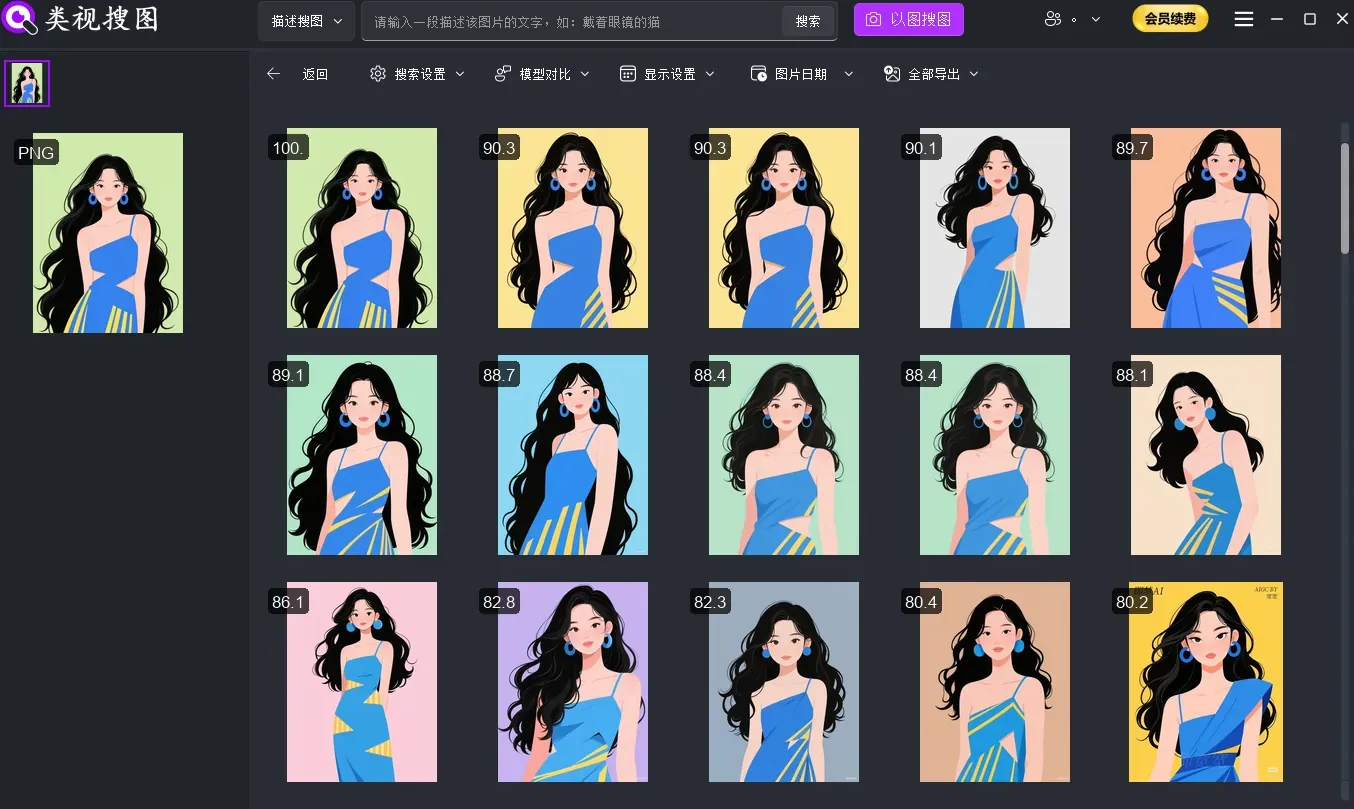
Why traditional photo managers fall short
| Issue | What happens |
|---|---|
| Limited functions | Mostly folder browsing and manual tags |
| Slow performance | RAW previews are sluggish |
| Subscription cost | Ongoing fees add up |
| Cloud dependency | Uploads create privacy risks |
| Closed ecosystem | Weak integration with other tools |
Painful workflow scenarios
Scene 1: client selection
"Can you find that café photo from the last shoot?"
Scene 2: portfolio curation
"I shot a similar composition last year… where is it?"
Scene 3: burst cleanup
"I shot 50 frames, maybe 5 are worth keeping."
FlareSeek: a local AI solution built for photographers
FlareSeek is a local AI image search tool designed for photographers. It runs fully offline and keeps client data on your own machine.
Why photographers choose FlareSeek
| Core advantage | Photographer value |
|---|---|
| Pro format support | RAW and PSD support out of the box |
| Fast search | Find targets in seconds |
| AI recognition | Search by content, not filenames |
| Local processing | Client photos never leave your device |
| Workflow integration | Fits seamlessly into existing workflows |
| Storage optimization | Smart dedupe saves disk space |
Core features that solve real photography tasks
1. Similar photo search
Photographers constantly need to:
- pick the best shots from bursts
- find similar compositions from past shoots
- compare different angles of the same scene
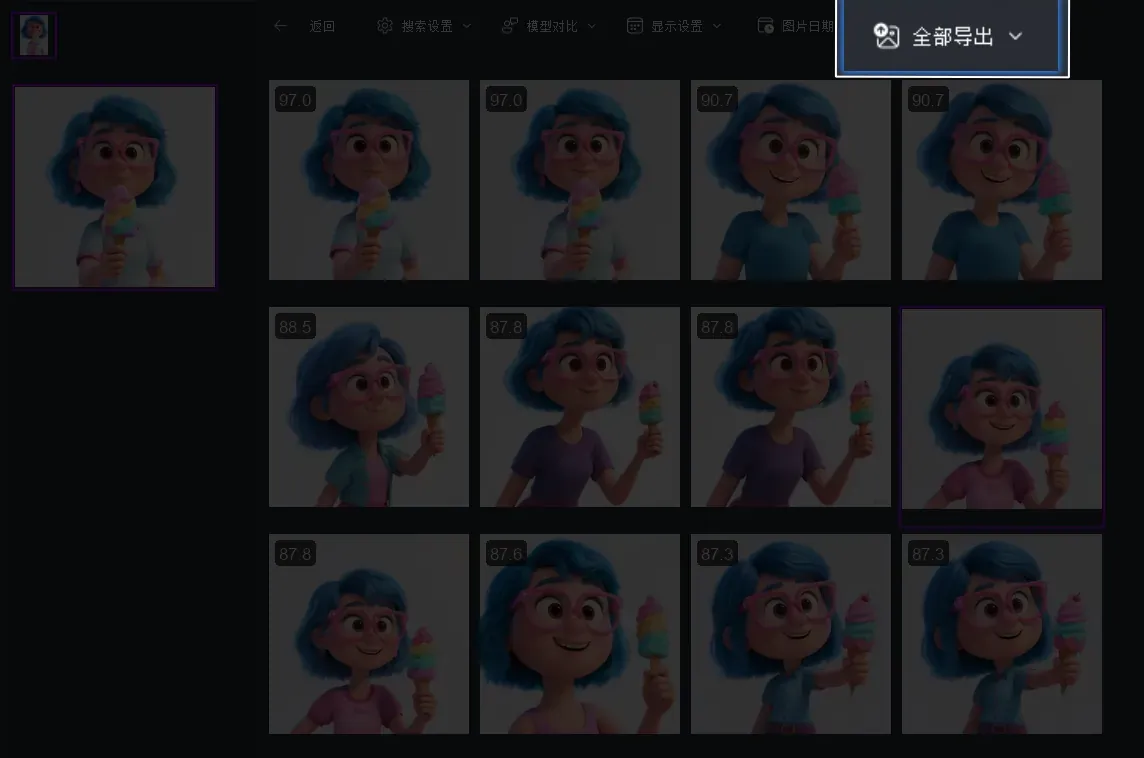
With similar photo search, select a reference image and FlareSeek retrieves all similar shots from your library.
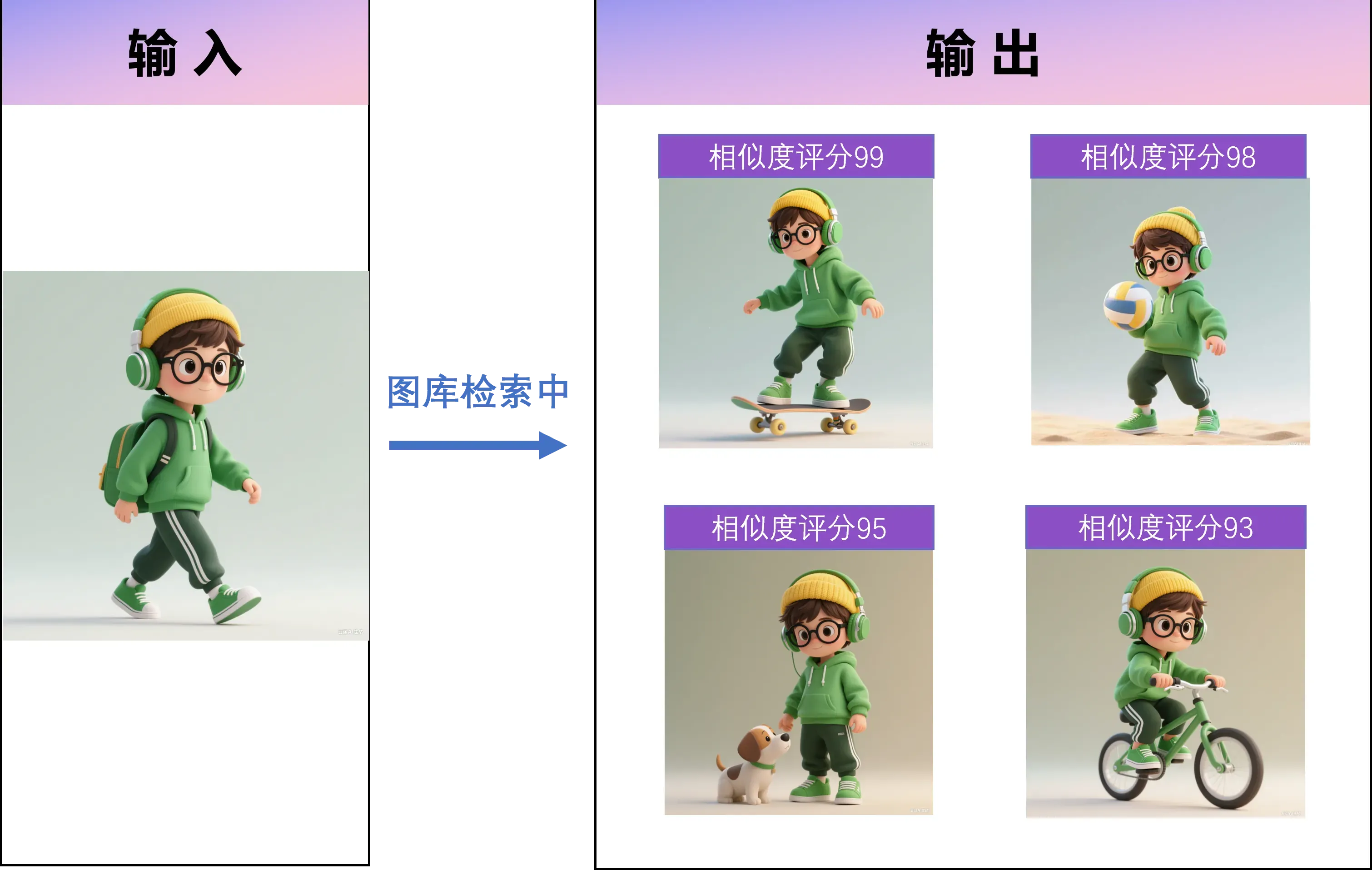
Wedding photographer example
"I shot 30 frames of the ring exchange. Similar search shows all variants instantly, so I can select the best 3-5 in minutes."
Commercial photographer example
"A client asked for a previous product angle. Similar search found the full set in 5 seconds."
2. Duplicate detection for bursts
Burst sequences create near-duplicates. FlareSeek’s duplicate detection helps you keep only the best frames.
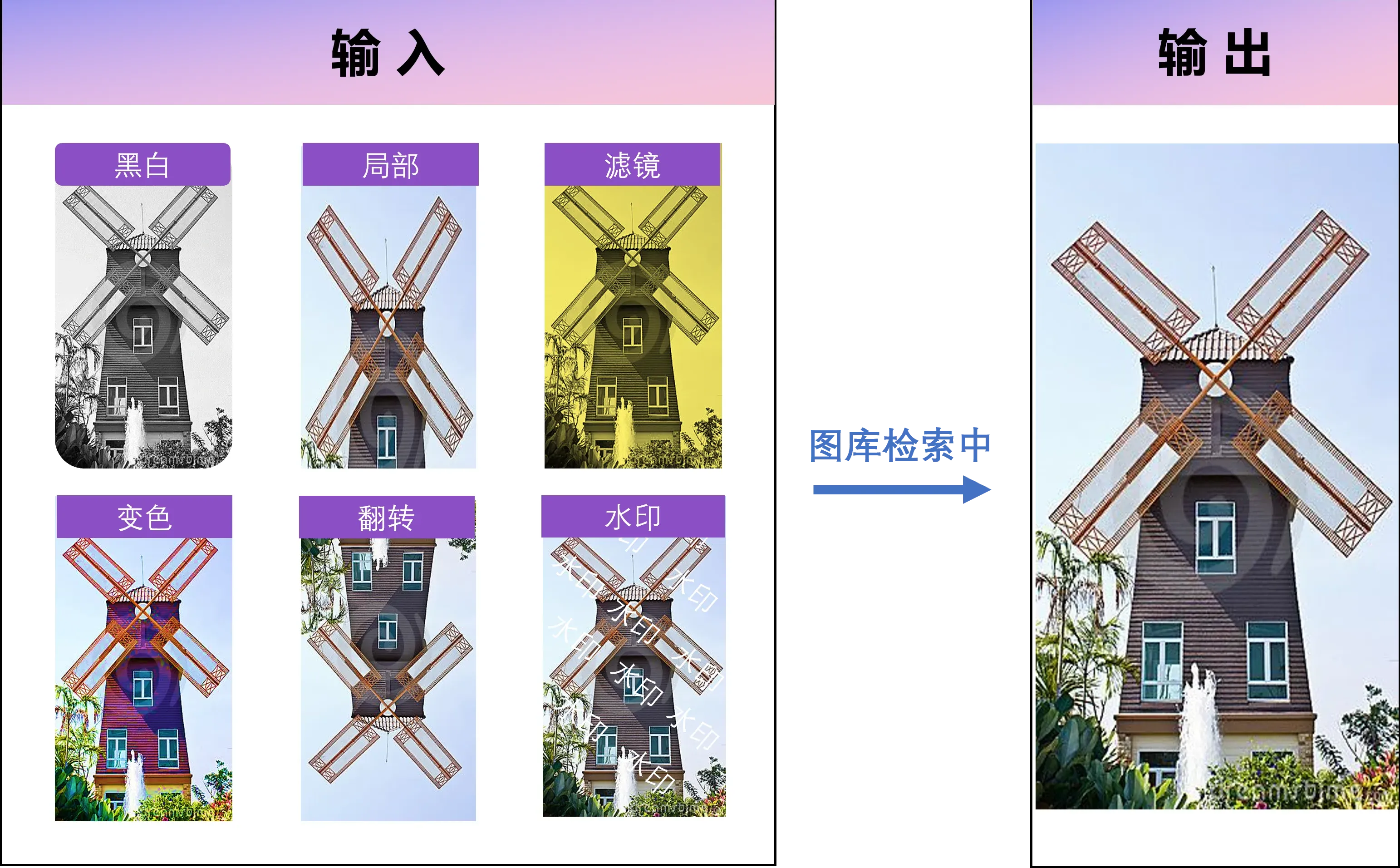
- Detects identical frames even with edits
- Groups by similarity
- One-click cleanup
Sports photographer feedback
"I used to spend a full day cleaning bursts. Now it takes two hours."
3. Face recognition for portrait work
For portrait and wedding photographers, face recognition is a must.
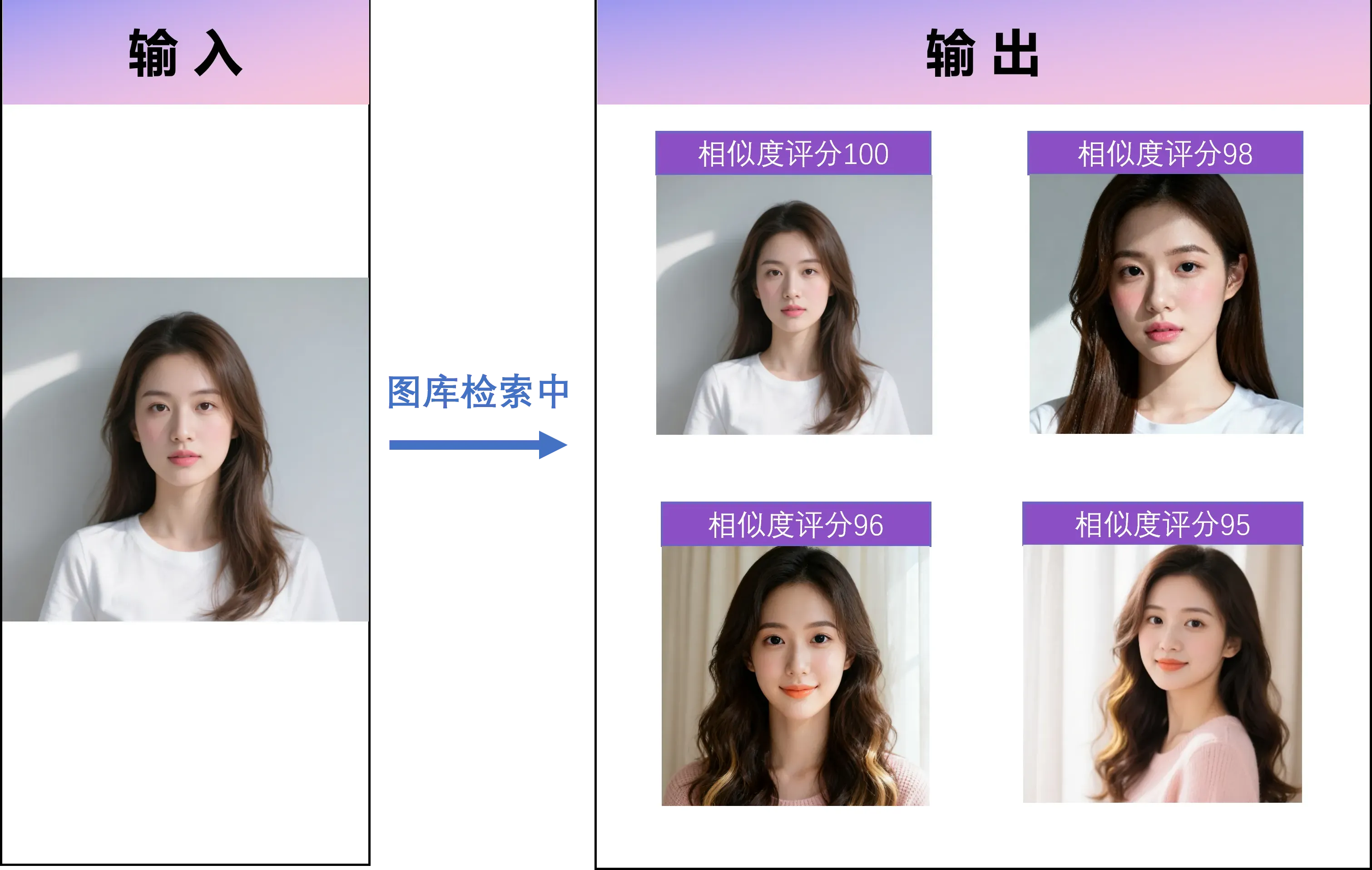
- High-accuracy face detection across angles and lighting
- Multi-face support
- Automatic grouping by person
- One-click retrieval of all images of a person
4. Semantic search with natural language
When you remember the scene but not the folder, semantic search saves the day.
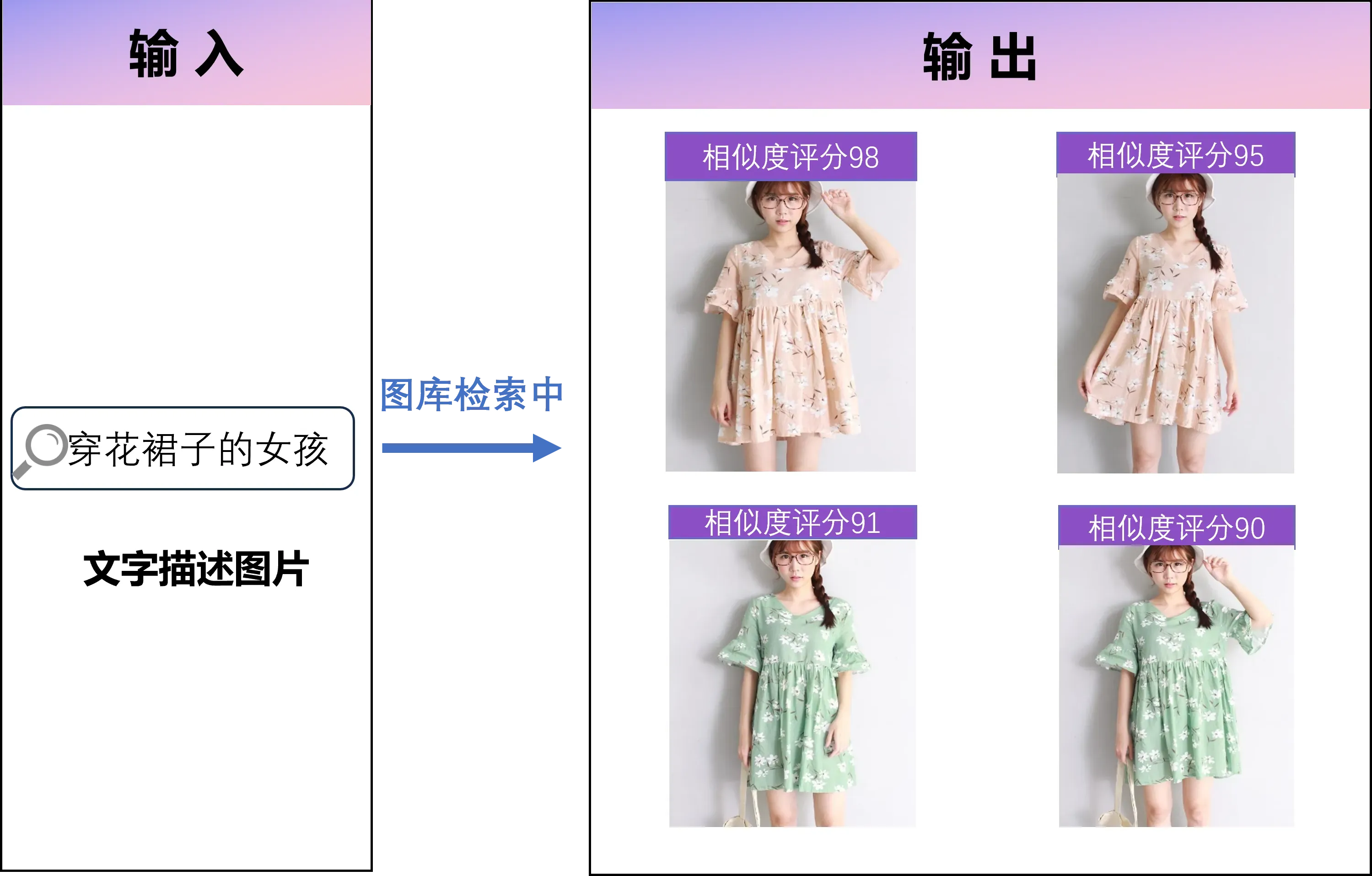
"sunset silhouette"
"kids laughing"
"snowy mountain landscape"
"white wedding dress close-up"
"city night skyline"
5. RAW format support
FlareSeek supports all major RAW formats without conversion.
| Camera brand | RAW format | Support |
|---|---|---|
| Canon | .CR2, .CR3 | Yes |
| Nikon | .NEF, .NRW | Yes |
| Sony | .ARW | Yes |
| Fujifilm | .RAF | Yes |
| Panasonic | .RW2 | Yes |
| Olympus | .ORF | Yes |
| Adobe | .DNG | Yes |
- Fast RAW previews
- Full EXIF metadata
- AI indexing without JPG conversion
6. Batch operations
FlareSeek helps with bulk edits and delivery workflows.
- Batch move/copy
- Batch rename
- Batch delete
- Batch export for clients
- Batch star tagging for retouching
Event photographer workflow
"I dedupe bursts, group faces, search key moments with semantic queries, and batch export in 2-3 hours instead of 6-8."
7. Cross-device library management
Photographers often store files across multiple drives. FlareSeek supports unified search across local disks, external drives, NAS, and shared folders.

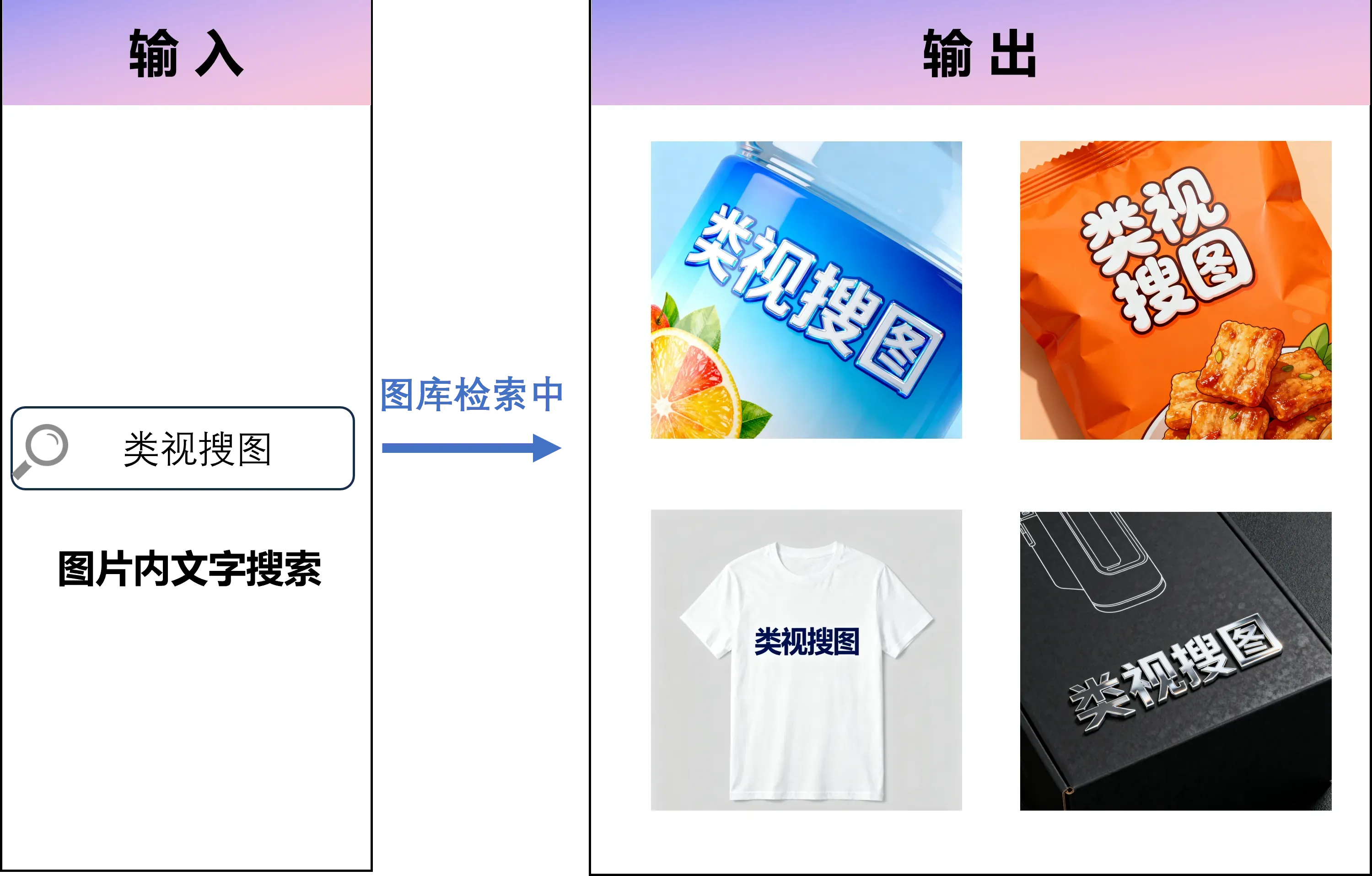
8. Text-in-image search
For product or event photography, OCR lets you search photos by text on packaging or banners.
Workflow tips for photographers
Build a clean folder structure
Photography Projects/
└─ 2025
   ├─ 01_Client_Wedding
   ├─ 02_Client_Portrait
   └─ 03_Event_Conference
Fast selection workflow (wedding example)
1. Dedupe burst sequences
2. Face recognition grouping
3. Semantic search for key moments
4. Batch mark hero shots
5. Batch export delivery
Strategies by photography type
Portrait / wedding photographers
- Face recognition + similar search + batch export
Landscape / travel photographers
- Semantic search + similar search + folder management
Commercial / product photographers
- OCR search + similar search + batch rename
Event / news photographers
- Semantic search + face recognition + fast preview
Performance tips
Hardware suggestions
| Item | Minimum | Recommended |
|---|---|---|
| CPU | Intel i5 (8th gen) | Intel i7 (10th gen+) |
| Memory | 8GB | 16GB+ |
| Disk | 256GB SSD | 512GB+ NVMe SSD |
| GPU | Integrated | Dedicated GPU (AI acceleration) |
Index optimization
- Use incremental indexing
- Split huge libraries by project
- Store indexes on SSD
- Remove deleted files regularly
Photographer case studies
Case 1: freelance wedding photographer
Challenge: 50 weddings per year, huge library, slow client requests.
Results:
- Selection time cut from 8 hours to 3
- Client add-on requests handled within minutes
- Portfolio organization dramatically improved
Case 2: children’s studio digital upgrade
Challenge: multiple photographers sharing a NAS library.
Results:
- Face recognition eliminated mix-ups
- Any team member could locate any client’s history
- Repeat bookings rose from 30% to 65%
Case 3: commercial studio workflow
Challenge: massive product photo libraries.
Results:
- Real-time indexing during shoots
- Similar search for angle matching
- Delivery time reduced by 40%
Case 4: wildlife photographer asset management
Challenge: 150,000+ wildlife images across years.
Results:
- Semantic search by animal or behavior
- Similar search across time sequences
- Magazine delivery in minutes
Data security and privacy
Photographers handle private moments. FlareSeek keeps everything local:
| Security feature | Explanation |
|---|---|
| Fully local processing | Photos never leave your device |
| Offline operation | No network required |
| Encrypted index | Secure local storage |
| Isolated deployments | Separate libraries per photographer |
"Client trust is everything. Local processing is why I chose FlareSeek." — Wedding photographer Chen Jing
Comparison: FlareSeek vs traditional tools
Lightroom comparison
| Feature | Lightroom | FlareSeek |
|---|---|---|
| Pricing | Subscription | One-time purchase |
| Similar search | Basic | AI deep learning |
| Semantic search | Manual tags | AI understanding |
| Face recognition | Basic | High-precision AI |
| Speed | Moderate | Fast |
| RAW support | Full | Full |
ACDSee comparison
| Feature | ACDSee | FlareSeek |
|---|---|---|
| Intelligent search | Metadata tags | AI semantic search |
| Similar images | Basic | Deep learning |
| Face recognition | None | High-precision |
| Cross-device | Extra setup | Native |
| Learning curve | Higher | Lower |
Cloud platforms (Google Photos)
| Feature | Cloud platforms | FlareSeek |
|---|---|---|
| Privacy | Upload required | Fully local |
| Cost | Storage fees | One-time purchase |
| Network | Required | Offline |
| RAW support | Limited | Full |
| Speed | Network dependent | Local fast |
Quick start
Install and set up
- Download FlareSeek
- Install the app
- Add your photo folders
- Build the index
First-time setup tips
1. Add photo libraries
2. Enable modules
   - Similar photo search
   - Face recognition
   - Semantic search
   - OCR text search (optional)
3. Start indexing (10k photos = 15-30 minutes)
3-week adoption plan
Week 1: similar search and face recognition Week 2: semantic search + batch operations Week 3: integrate into real client projects
FAQ
Q1: Will FlareSeek modify original photos? A: No. FlareSeek reads photos for indexing only, and never alters files.
Q2: How big is the index file? A: 10,000 photos typically use 200-500MB of index storage.
Q3: Does it support NAS? A: Yes. Map NAS storage as a local drive for best performance.
Q4: Can I use it on multiple computers? A: Yes. See license details.
Q5: How are new photos handled? A: Incremental indexing adds new photos without rebuilding the full index.
Q6: Are hardware requirements high? A: Initial indexing is heavy, but daily search runs smoothly on standard workstations.
Q7: Can I export search results? A: Yes. You can copy file paths, batch export, or create file lists.
Q8: How should I set similarity thresholds? A:
- 90%+ for near duplicates
- 70-90% for similar compositions
- 50-70% for related scenes
ROI: how much time and cost you save
Example: wedding photographer
| Task | Traditional time | With FlareSeek | Time saved |
|---|---|---|---|
| Dedupe | 2 hrs | 0.5 hrs | 1.5 hrs |
| Culling | 4 hrs | 1.5 hrs | 2.5 hrs |
| Client requests | 1 hr | 0.1 hr | 0.9 hr |
| Portfolio update | 2 hrs | 0.5 hrs | 1.5 hrs |
| Total | 9 hrs | 2.6 hrs | 6.4 hrs |
Annual savings (50 weddings at 200 RMB/hour) ≈ 64,000 RMB.
Storage savings
Smart dedupe saves ~20-30% storage, cutting 2-3TB per year.
Start your efficiency upgrade
Stop losing hours in folders. FlareSeek lets you search, organize, and deliver faster.
Download now to upgrade your photo workflow.
Related resources
Learn more
Community support
Related articles
Let AI handle photo management so you can focus on creating great work.